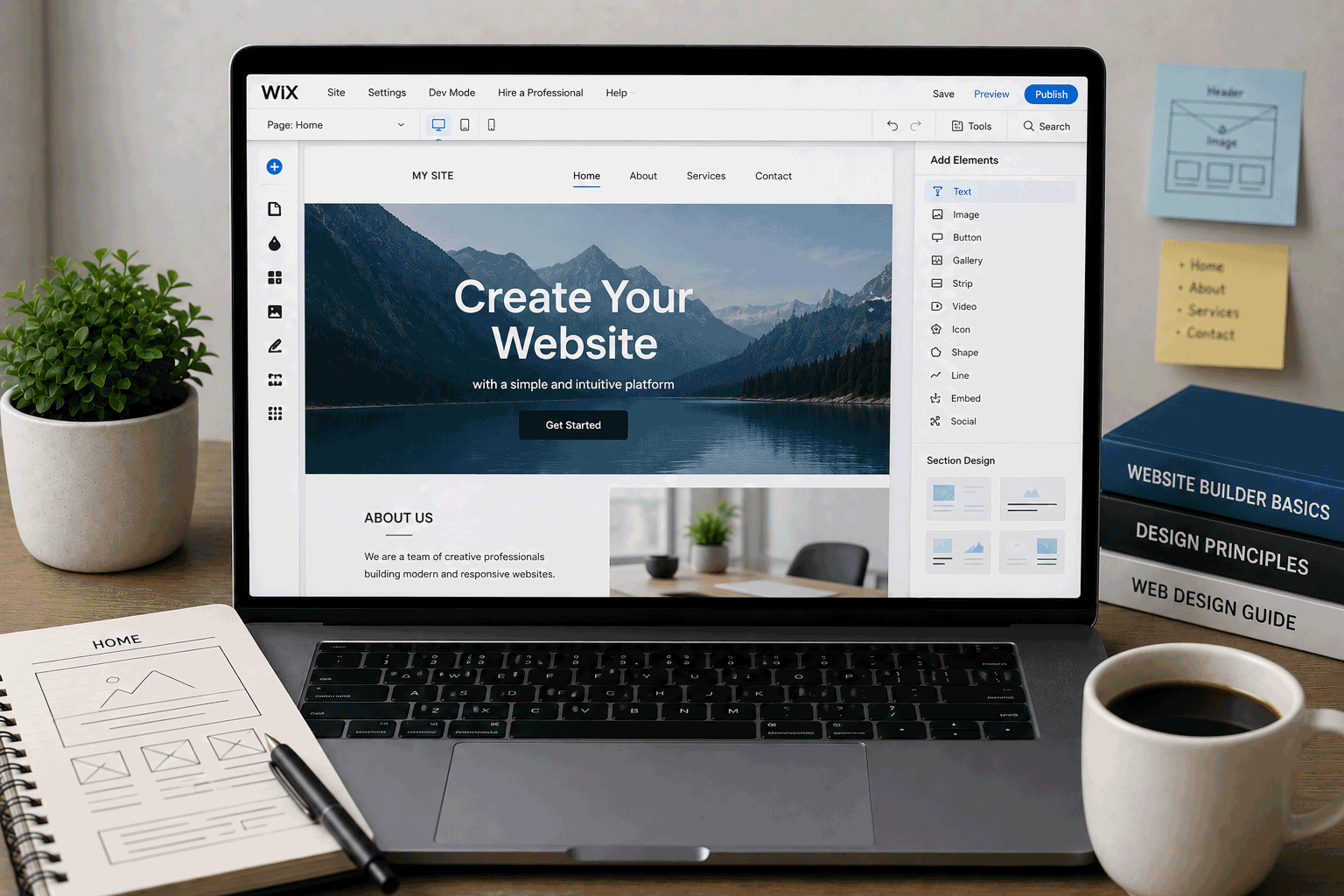
This version follows the review-page structure we discussed, excludes the Alternative providers section, and includes exactly two provider links using your requested phrase pattern.
Suggested SEO Title
Wix Review: Free Website Builder for Beginners, Portfolios, and Small Website Drafts
Suggested Meta Description
Read our Wix review for free website building, templates, drag-and-drop editing, AI tools, Wix ads, storage, bandwidth, custom domain limits, best use cases, and upgrade considerations.
Wix Review
Wix is one of the most familiar names in the website builder market. It is made for people who want to create a website visually instead of dealing with hosting files, FTP, PHP, MySQL, or server settings.
That is the main reason Wix belongs on FreeHostsFinder. Many beginners who search for “free hosting” do not really want a traditional hosting account. They want a simple way to create a website, publish it, and share it with others. Wix can help with that.
The free version is useful for testing ideas, learning how website builders work, preparing a first draft, or creating a simple temporary site. You can sign up, choose a design direction, edit pages, add images, and publish using a Wix web address.
But Wix Free is not the same as having a professional website setup. Free Wix sites include a Wix banner ad at the top and use a Wix favicon in the browser tab unless you upgrade. Wix also states that free sites include up to 500 MB of storage and up to 1 GB of bandwidth.
For a first draft, that may be enough. For a serious business website or professional portfolio, you will probably need to consider a paid plan.
Link to the official Wix website
Quick summary
| Item | Details |
|---|---|
| Provider | Wix |
| Hosting type | Hosted website builder |
| Best for | Beginners, simple websites, small business drafts, portfolios, event pages |
| Free plan | Yes |
| Free storage | Up to 500 MB |
| Free bandwidth | Up to 1 GB |
| Free site address | Wix subdomain / free Wix URL |
| Ads on free plan | Wix banner ad appears on free sites |
| Wix favicon on free plan | Yes, according to Wix support |
| Custom domain | Requires a Premium plan |
| Drag-and-drop editor | Yes |
| AI creation tools | Included in Wix ecosystem / listed with Wix plans |
| Ecommerce | Paid plans are normally needed for accepting payments and ecommerce features |
| Best use | Testing a website idea, beginner website creation, simple no-code pages |
| Not ideal for | Ad-free professional sites on a free plan, full hosting control, PHP/MySQL, self-hosted WordPress |
Wix’s pricing page says you can create a site for free and choose a plan when ready. It also states that with a Premium plan, users can connect their own domain, remove Wix branding, and access more features.
Best for
Wix is best for people who want to build a website without learning hosting technology first.
It is a good fit for:
- Complete beginners
- Small business owners preparing a first website draft
- Freelancers creating a simple service page
- Students making a presentation-style website
- Event organizers publishing a quick information page
- Creators building a basic portfolio
- Local service providers testing an online presence
- Users who prefer visual editing over coding
- People who want to test a website idea before paying
Wix is especially useful when the biggest challenge is not hosting performance, but getting started. A blank website can feel difficult. A builder with templates, sections, and visual editing can make the first step less intimidating.
Not ideal for
Wix Free is not the best fit for every website.
You may want another option if you need:
- An ad-free website on a free plan
- A custom domain without upgrading
- Traditional web hosting control
- PHP and MySQL
- Self-hosted WordPress
- FTP access and file-level hosting management
- Full source-code ownership
- Easy migration to another host later
- A serious ecommerce site on a free plan
- A business-critical website without platform branding
- A developer-focused Git deployment workflow
Wix is a website builder, not a traditional web host. That is important.
If you want to learn server-side hosting, PHP, databases, or WordPress installation, Wix is not the right learning environment. If you want to create a simple visual website without technical setup, Wix may be much more comfortable.
Free plan overview
Wix allows users to create and publish a website for free. The free plan is mainly useful for trying the platform, building a draft, and learning how the Wix editor works.
The official Wix support page on storage and bandwidth says free Wix sites include up to 500 MB of storage and up to 1 GB of bandwidth. Wix also explains that storage is used for content such as images and files uploaded to the site, while bandwidth relates to how much data visitors can view.
The free plan also includes Wix branding. Wix support says a free site includes a Wix banner ad at the top and a Wix favicon in the browser tab. To remove the banner and use your own favicon, you need to upgrade to a Premium plan that includes those features.
Wix’s pricing page says Premium plans allow users to connect a custom domain, remove Wix branding, and access more features. Paid plans also include reliable web hosting, AI creation tools, 24/7 customer care, and a 14-day money-back guarantee.
In practical terms, the Free plan is best for:
- Testing Wix
- Building a first draft
- Learning visual website creation
- Creating a temporary project page
- Trying layout and content ideas
- Sharing a non-critical site
It is not ideal for a final professional website, mainly because of branding, domain limitations, and resource limits.
Key features
1. Beginner-friendly visual editing
Wix is attractive because it lets users build visually.
Instead of uploading files or editing code, you work through the Wix editor. You can add sections, change text, upload images, adjust layouts, and publish from the same platform.
For beginners, this can be much easier than traditional hosting.
You do not need to understand:
- FTP
- hosting control panels
- database setup
- PHP versions
- DNS records at the beginning
- WordPress installation
- server-side configuration
That makes Wix a strong option for users who want a website without technical stress.
2. Free website creation and publishing
Wix lets users create a site for free and choose a plan later.
This is helpful if you are still deciding what your website should look like. You can experiment with content, structure, images, sections, and style before paying.
For FreeHostsFinder readers, this matters because not every user is ready to buy hosting immediately. Some need to test the idea first.
The free site can act as a draft space.
3. Built-in hosting
Wix includes hosting as part of the platform.
This means you do not need to buy separate hosting or install website software. When you build with Wix, your site is hosted within Wix.
For non-technical users, this is convenient because it removes several setup steps.
The trade-off is that you are also building inside Wix’s system. If you later want to move to a completely different platform, you may not have the same portability as a website built from your own files.
4. AI creation tools and guided site creation
Wix’s pricing page lists AI creation tools as included with plans, and Wix has increasingly positioned AI tools as part of its website creation experience.
For beginners, AI-assisted creation can help reduce the blank-page problem. Instead of starting from nothing, you can use guided tools and then edit the result.
This can be useful for:
- small business drafts
- simple portfolios
- personal sites
- service pages
- event pages
- early idea testing
The important point is to review the result carefully. AI can help start the website, but your real details, photos, service information, and contact details still matter.
5. Templates and design flexibility
Wix is known for offering many design options and a flexible visual editor.
This can be useful for users who care about appearance but do not want to design from scratch.
For a simple website, a template can save time. But you should still choose carefully. A beautiful template is not useful if it requires too much content, too many images, or sections you do not need.
A clean, simple Wix site is usually better than a visually busy one.
6. Upgrade path for serious use
Wix’s Premium plans provide features that free sites usually need once they become more serious, including custom domain connection and removal of Wix branding.
This makes Wix useful as a start-free, upgrade-later platform.
You can begin with the Free plan, then upgrade when you need:
- custom domain
- no Wix ads
- more storage
- more bandwidth
- ecommerce features
- payments
- better marketing tools
- more professional presentation
The key is to check pricing before building too much, so you know whether the future upgrade cost makes sense.
Important limitations to know
1. Free Wix sites include Wix ads
This is the biggest limitation for professional use.
Wix support says free sites include a Wix banner ad at the top. To remove it, users need to upgrade to a Premium plan that includes that feature.
For testing, this may be fine.
For a business website, professional portfolio, client demo, or serious personal brand, the banner can reduce trust.
A free site may look good inside the editor, but always preview the live published version before sharing it widely.
2. Free storage and bandwidth are limited
Wix support says free Wix sites come with up to 500 MB of storage and up to 1 GB of bandwidth.
For a small draft website, this may be enough.
For image-heavy portfolios, video content, large file downloads, or sites with growing traffic, the limits can become restrictive.
If your site uses many images, resize and compress them before uploading. For videos, embedding from a video platform may be better than uploading heavy files directly.
3. Custom domain requires upgrading
Wix’s pricing FAQ says a custom domain replaces the free Wix URL, such as username.wixsite.com/sitename, and connecting your own domain is part of Premium plan benefits.
For a practice website, a free Wix URL is fine.
For a serious website, a custom domain is usually important.
A website such as:
yourbusiness.comwill usually look more trustworthy than:
username.wixsite.com/sitenameIf you plan to use the site professionally, include this upgrade need in your decision.
4. It is not traditional web hosting
Wix does not work like a normal hosting account.
You do not get a traditional PHP/MySQL environment, cPanel, FTP-based hosting workflow, or self-hosted WordPress installation.
This is not a flaw if you want a website builder. It is a limitation if you want to learn hosting technology.
Use Wix when you want visual website creation. Use traditional hosting if you want to work with server-side code, databases, or WordPress installation.
5. Moving away later may require rebuilding
Wix is a hosted website builder. The site is created inside Wix’s platform.
This gives you convenience, but it can reduce portability. If you later decide to move to another platform, you may need to rebuild the website manually rather than simply moving the site files like a traditional static or WordPress site.
This is worth thinking about before building a long-term website.
For a temporary site, it may not matter. For a long-term business website, it matters more.
6. Ecommerce and payments are paid-plan features
Wix’s pricing page lists “Accept payments” and ecommerce features under paid plans such as Core and above.
This means the free plan is not the right foundation for a real online store.
You can use Wix Free to design and test a store idea, but if you want to accept payments and run ecommerce seriously, you should expect to upgrade.
Who should use Wix?
Complete beginners
Wix is a good fit for beginners who want to create a website without learning hosting first.
If your goal is simply to publish a page, add photos, write service information, and share the site, Wix can be easier than traditional hosting.
Small business owners testing a website draft
Wix can help small business owners create a first version of a website quickly.
You can test your homepage message, service descriptions, contact sections, images, and layout before deciding whether to upgrade.
For the final business website, consider a paid plan to remove branding and connect a custom domain.
Freelancers and creators
Freelancers, coaches, creators, and service providers can use Wix to create a simple profile or portfolio.
It is especially useful if the website is more about presentation than technical development.
Students and clubs
Wix can work well for student clubs, class presentations, event pages, and simple project websites.
If the assignment does not require coding or hosting knowledge, Wix may be easier than traditional hosting.
People who want to test an idea
Wix Free is useful for testing a website idea before paying.
You can publish a basic version, see how it feels, and decide whether it deserves a custom domain and paid features later.
Who should avoid Wix?
Users who need PHP and MySQL
Wix is not suitable for PHP/MySQL learning or traditional server-side projects.
If your project requires databases, PHP scripts, or backend coding practice, choose traditional web hosting instead.
Users who want self-hosted WordPress
Wix is not WordPress hosting.
If you want WordPress plugins, themes, PHP files, and database access, use WordPress.com, self-hosted WordPress, or another WordPress-friendly host.
Developers who want Git deployment
Wix is not the best choice for developers who want repository-based deployment, framework builds, or frontend app workflows.
For those users, static or developer hosting will usually fit better.
Business owners who need a professional free site
Wix Free can be good for drafts, but the banner ad and Wix URL may not fit a serious business website.
For a business site, a paid plan is usually more appropriate.
Users who want easy platform migration
If you are concerned about moving your website later, think carefully before building deeply inside a website builder.
Wix is convenient, but not as portable as hosting your own static files or using a self-hosted CMS.
Wix for beginners
Wix is one of the more beginner-friendly ways to create a website because it starts with visual editing instead of technical setup.
A beginner can learn:
- how to structure a homepage
- how to write website sections
- how to add images
- how to create navigation
- how to preview mobile design
- how to publish a site
- how to test a website idea
This is useful because many first-time website owners do not need full hosting control. They need a clear path to their first published page.
The main caution is simple: Wix Free helps you start, but a professional site will usually need an upgrade.
Wix for small business websites
Wix can be a practical choice for small businesses, especially when the owner wants visual editing and does not want to hire a developer immediately.
A small business draft can include:
- home page
- about section
- services
- opening hours
- photos
- location
- contact form
- social links
- booking or inquiry button
However, the free version is not ideal for a serious public business site because of Wix branding and the lack of a custom domain. Wix’s own upgrade guidance says upgrading lets users connect a custom domain, remove Wix ads, get more storage, accept payments, and access marketing solutions.
For business use, Wix is better seen as:
Free for testing.
Paid for professional use.
Wix for portfolios
Wix can work well for portfolios, especially for users who want visual editing and do not want to code.
It can be useful for:
- designers
- photographers
- writers
- coaches
- freelancers
- artists
- students
- creators
For a professional portfolio, check the live site carefully. If the Wix banner ad distracts from your work, a paid plan may be needed.
If you are a developer and want your portfolio to show coding and deployment skills, static hosting may be a better match than Wix.
Wix for student projects
Wix is good for student projects when the assignment is about presentation, communication, or content.
It can work for:
- club websites
- class event pages
- personal profile pages
- presentation websites
- simple campaign pages
- project showcase pages
It is not suitable for assignments that require HTML/CSS coding demonstration, PHP/MySQL, WordPress installation, or backend development.
For students, the rule is simple: use Wix when the goal is the website result, not the hosting technology.
Wix for ecommerce
Wix has ecommerce features on paid plans, but the free plan is not a practical ecommerce solution.
Wix’s pricing page shows accepting payments and ecommerce features starting from paid plans.
You can use Wix Free to draft a store layout or test product presentation. But if you want to sell online, take payments, manage orders, and operate seriously, expect to upgrade.
For ecommerce, free is rarely the best long-term foundation.
Free plan vs paid upgrade
Wix Free is useful when you want to test the builder and create a simple draft without paying.
Use Wix Free if:
- you are learning
- you want to test Wix
- you are creating a temporary page
- you do not mind Wix ads
- you do not need a custom domain
- storage and bandwidth limits are acceptable
- the site is not business-critical
Consider upgrading if:
- you want a custom domain
- you want to remove Wix branding
- you need more storage
- you need more bandwidth
- you want ecommerce
- you need payments
- the site represents a business
- the site is part of your professional image
Wix’s pricing page states that Premium plans allow users to connect a custom domain, remove Wix branding, and more.
This makes the Free plan a starting point, not always the final destination.
Final opinion
Wix is a good free website builder for people who want to start visually and avoid technical hosting setup. It is especially useful for beginners, small business drafts, simple portfolios, event pages, student projects, and early-stage website ideas.
Its strength is convenience. You can create a site without knowing PHP, MySQL, FTP, DNS, or WordPress installation. Wix gives you the editor, templates, hosting, and publishing flow in one place.
The Free plan is best for testing and drafting. It includes up to 500 MB storage and up to 1 GB bandwidth, but free sites also show a Wix banner ad and use Wix branding unless upgraded.
For a serious business website or professional portfolio, Wix is usually better after upgrading to a paid plan that supports custom domains and removes Wix branding. For technical users who want code control, PHP/MySQL, WordPress, or Git deployment, Wix is not the right type of platform.
Use Wix if you want a simple visual path to your first website. Choose another hosting type if your project needs technical control.
Link to the official Wix website
FAQ
Is Wix free?
Yes. Wix lets users create a website for free and choose a paid plan later. The free plan is mainly useful for testing, learning, and building a first draft.
How much storage does Wix Free include?
Wix support says free Wix sites include up to 500 MB of storage.
How much bandwidth does Wix Free include?
Wix support says free Wix sites include up to 1 GB of bandwidth.
Does Wix Free show ads?
Yes. Wix support says free sites include a Wix banner ad at the top and a Wix favicon in the browser tab.
Can I remove Wix ads for free?
No. Wix support says you need to upgrade to a Premium plan that includes this feature to remove the Wix banner ad and use your own favicon.
Can I use my own domain with Wix Free?
A custom domain requires upgrading. Wix’s pricing page says Premium plans let users connect their own domain and remove Wix branding.
Is Wix good for beginners?
Yes. Wix is good for beginners who want visual editing, templates, built-in hosting, and a simpler publishing process without managing traditional hosting.
Is Wix good for business websites?
Wix can be good for business websites, but the Free plan is best for drafts. For a serious business site, a paid plan is usually better because it supports custom domains and removing Wix branding.
Can Wix run WordPress?
No. Wix is not self-hosted WordPress hosting. If you want WordPress plugins, themes, and WordPress hosting control, choose a WordPress platform instead.
Can Wix run PHP and MySQL?
No. Wix is not traditional PHP/MySQL hosting. It is a hosted website builder, not a normal shared web hosting account.
“Wix is useful when you want to build the website first and think about hosting details later.”
Leave a Reply
You must be logged in to post a comment.