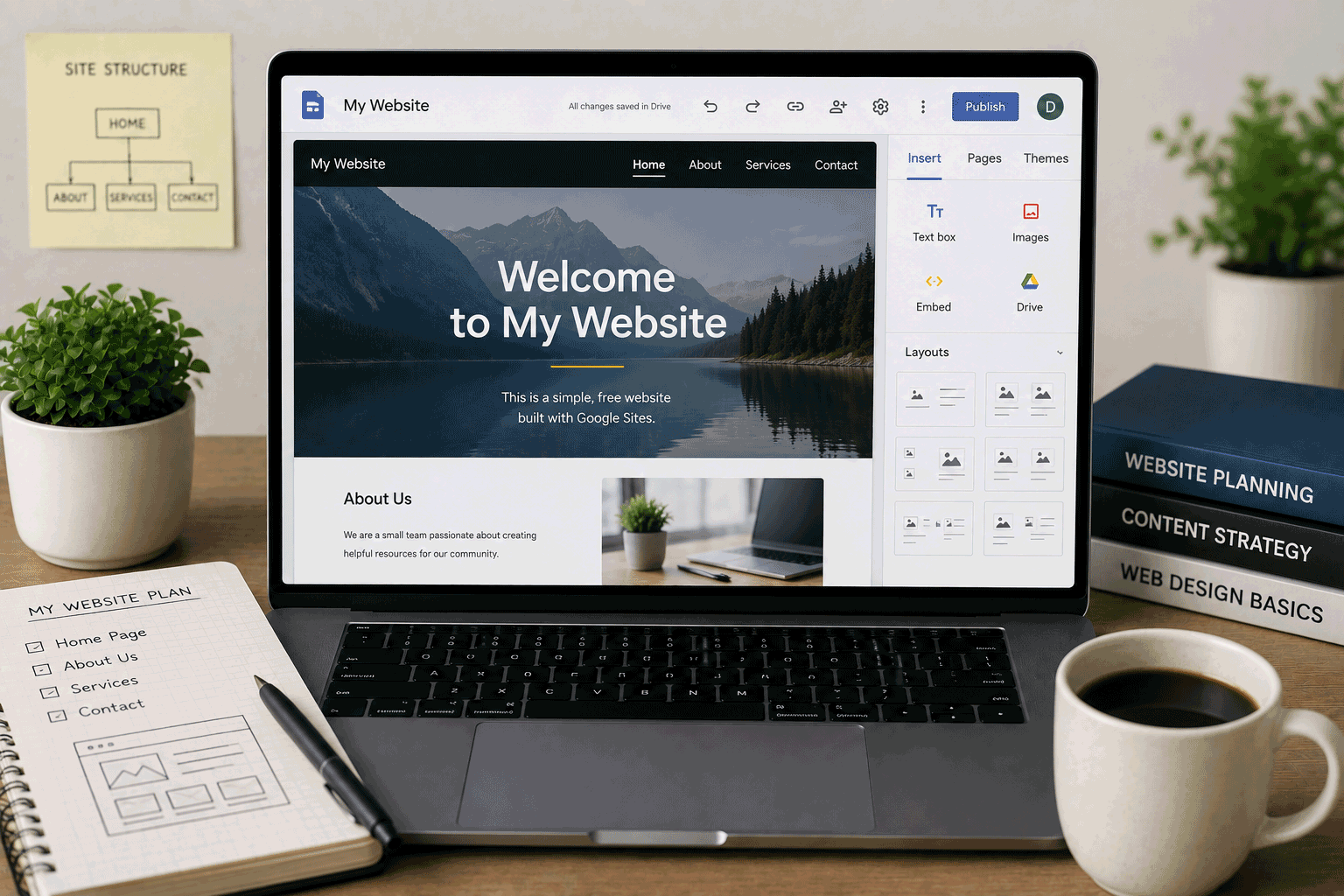
Google Sites is one of the simplest ways to create a basic website without touching code, hosting files, databases, or server settings. It is not designed to compete with advanced website builders, WordPress hosting, or developer platforms. Instead, it works best when you need a clean, simple page that can be created quickly and shared easily.
That is why Google Sites deserves a place on FreeHostsFinder. Some visitors who search for free hosting do not actually need traditional hosting. They may only need a simple page for a class project, event, club, internal team, small announcement, personal profile, or basic information website. For those users, Google Sites can be more practical than a full hosting account.
Google describes Sites as a tool for creating sites for a team, project, or event that look good on any device, with drag-and-drop design and automatic grid layout. Google’s help documentation also explains that a site is added to Google Drive like other Drive files, and changes are automatically saved, but the site is not public until you publish it.
Google Sites is easy to start, but it is intentionally limited. It is not the right place for WordPress, PHP, MySQL, ecommerce, advanced SEO, custom backend logic, or developer-style deployment. It is best when the website needs to be clear, simple, and easy to maintain.
Link to the official Google Sites website
Quick summary
| Item | Details |
|---|---|
| Provider | Google Sites |
| Hosting type | Hosted no-code website builder |
| Best for | Simple pages, student projects, internal sites, team pages, event pages, basic information websites |
| Free plan | Available with a Google account |
| Coding required | No |
| Editor style | Visual editor / drag-and-drop style |
| Templates | Available |
| Google Drive integration | Sites are stored in Google Drive like other Drive files |
| Collaboration | Users can invite others to edit a site |
| Publishing | Site is private until published |
| Default URL | Published new Google Sites commonly use a sites.google.com/... style address |
| Custom URL | Supported, but setup can depend on account type and permissions |
| PHP/MySQL | Not supported |
| WordPress | Not supported |
| Ecommerce | Not suitable as a full ecommerce platform |
| Best use | Simple free website publishing without technical setup |
| Not ideal for | Advanced business websites, SEO-heavy sites, custom apps, blogs, online stores, developer projects |
Google’s help page says users can create a site by opening Google Sites, choosing a template, editing the site, and clicking Publish. It also notes that users can add text, images, Google files, videos, and more.
Best for
Google Sites is best for people who want a simple website with very little setup.
It is a good fit for:
- Student project websites
- Classroom pages
- Club or activity pages
- Event information pages
- Simple personal pages
- Internal team sites
- Project information hubs
- Community announcement pages
- Basic portfolio drafts
- Non-technical users who want to publish quickly
- Users already working inside Google Drive or Google Workspace
Google Sites is especially useful when the website is not meant to be complicated. If the goal is to share information clearly, organize a few pages, and allow easy editing, Google Sites can be a very comfortable option.
Not ideal for
Google Sites is not the right choice for every website.
You may want another platform if you need:
- WordPress
- PHP and MySQL
- A blog with advanced publishing tools
- Ecommerce checkout
- Payment processing
- User accounts
- Membership areas
- Advanced SEO control
- Full design freedom
- Custom code control
- Developer deployment workflow
- Large content sites
- Complex business websites
- Plugin or app marketplace flexibility
- Full ownership of website files
Google Sites is easy because it removes complexity. But that same simplicity also means you do not get the control that comes with WordPress, traditional web hosting, static hosting, or developer platforms.
If you need a serious business website, a growing blog, a custom application, or an online store, Google Sites will probably feel too limited.
Free plan overview
Google Sites can be used to create and publish simple websites through a Google account. The process is beginner-friendly: choose a template, edit the site, add content, preview it, and publish when ready. Google’s help documentation explains that you can add and organize pages, add or edit text and images, add Google files and videos, publish the site, share it, and invite others to edit.
A site created in Google Sites is saved in Google Drive, similar to other Drive files. Google also notes that Sites automatically saves every change, but the site does not become public until it is published.
When publishing a new Google Site, Google’s Workspace Learning Center says the published web address commonly follows this pattern:
sites.google.com/domain/sitenamewhere the site name is the public site name entered during publishing. Google also explains that users can choose whether a published site is public or restricted.
In practical terms, Google Sites is a good free starting point if you need:
- a simple page
- a few basic sections
- an easy editor
- Google Drive-style saving
- collaboration
- fast publishing
- no server setup
It is not the best choice if your website needs deep customization, advanced SEO, ecommerce, database features, or developer tools.
Key features
1. Very easy website creation
Google Sites is built for simplicity.
You do not need to install anything, buy hosting, create a database, manage FTP, or configure server settings. You open Google Sites, start from a blank site or template, edit the content, and publish when ready. Google’s help page describes the basic flow as selecting a template, editing the site, and clicking Publish.
For beginners, this is the main benefit.
Google Sites is not trying to make you a web developer. It is trying to help you create a usable page quickly.
2. Works well with Google Drive and Google Workspace
Google Sites fits naturally into the Google ecosystem.
Google’s documentation says that when a new site is created, it is added to Drive like other Drive files. This makes Google Sites familiar for people who already use Google Docs, Sheets, Slides, and Drive.
This is useful for:
- schools
- teams
- small groups
- internal projects
- collaborative pages
- project hubs
- shared information sites
If your content already lives in Google Drive, Google Sites can be a simple way to bring it together into a public or restricted website.
3. Simple visual editing
Google’s product page highlights drag-and-drop design, automatic grid layout, and responsive presentation across devices.
This makes Google Sites friendly for users who do not want to code.
You can add sections, text, images, embedded content, Google files, and navigation without working directly with HTML or CSS.
The design freedom is limited, but the editor is approachable. For many simple projects, that is a strength.
4. Good for collaboration
Google Sites is useful when more than one person needs to work on a website.
Google’s help page mentions inviting others to edit a site, and the Workspace Learning Center includes reviewing and collaboration steps when creating a site.
This is useful for:
- student group projects
- clubs
- committees
- internal teams
- event organizers
- project working groups
If your team already collaborates in Google Docs or Google Slides, editing a Google Site may feel familiar.
5. Public or restricted publishing
Google Sites is useful because you can control who can see the published site.
Google’s publishing documentation says users can set a published site as Restricted or Public. If restricted, it can be shared with specific people or groups.
This makes Google Sites useful not only for public pages, but also for internal or semi-private information hubs.
For example, a team may use Google Sites for project information that should not be fully public.
6. Custom URL support
Google’s publishing documentation explains that users can use a custom URL, such as www.yourdomain.com, to make a site easier to find and remember. It also notes that for work or school accounts, administrator access is needed to create a custom web address.
This is important because a custom domain makes a site look more professional.
However, custom URL setup can depend on your account type, domain setup, and permissions. For beginners, the default Google Sites URL may be easier to use first.
Important limitations to know
1. It is not traditional web hosting
Google Sites is not traditional hosting.
You do not get:
- FTP access
- PHP
- MySQL
- cPanel
- server configuration
- WordPress installation
- file-level hosting control
This is not a problem if you only want a simple website. It is a problem if your project needs real hosting control.
If your project requires PHP, MySQL, WordPress, or backend code, Google Sites is the wrong tool.
2. Design control is limited
Google Sites is easy because it gives you a guided editor. But it does not offer the same level of design control as Webflow, WordPress, custom HTML/CSS, or a full website builder platform.
You can create a clean site, but you may not be able to fine-tune every detail.
For a simple information page, that is fine. For a serious brand website or creative portfolio, it may feel restrictive.
3. Not suitable for ecommerce
Google Sites is not built as a full ecommerce platform.
It does not provide normal online store features such as product catalog management, checkout, payment handling, shipping tools, inventory controls, or order management.
You may be able to link to external tools, but that is not the same as running a real store.
If ecommerce is the goal, choose a platform designed for ecommerce.
4. Not ideal for blogs or content-heavy sites
Google Sites can publish pages, but it is not a full blogging platform.
If you want categories, tags, scheduled posts, RSS-style publishing, comment systems, author pages, advanced SEO tools, and a long-term content strategy, WordPress or another content platform will usually be better.
Google Sites is better for stable information pages than frequent publishing.
5. SEO controls are basic
Google Sites can be public and discoverable, but it is not the best choice for advanced SEO projects.
If your goal is to build long-term search traffic, publish many articles, structure schema, optimize metadata in detail, and control technical SEO, Google Sites may feel limited.
For a school project, simple event page, or internal information site, this may not matter. For a serious search-focused website, it matters a lot.
6. Custom URL setup may require extra permissions
Google’s documentation says custom URLs can be used, but also notes that work or school accounts require administrator access to create a custom web address.
For individual users, custom URL setup may still require domain verification and DNS changes.
If you are a beginner, do not assume custom domain setup will be as simple as clicking Publish. Start with the default Google Sites address first, then connect a custom URL later if needed.
Who should use Google Sites?
Students
Google Sites is a very good option for students who need to create a simple project website.
It can work well for:
- class presentations
- group projects
- project summaries
- club pages
- personal learning pages
- event pages
- simple portfolios
Students can focus on content instead of hosting setup.
Teachers and educators
Google Sites can help teachers organize classroom resources, lesson links, project instructions, and shared materials.
Because it fits with Google Drive and Google Workspace, it can be convenient in school environments.
Small teams
Small teams can use Google Sites as a lightweight information hub.
It can be useful for project notes, onboarding pages, shared links, event details, or internal reference pages.
Google Sites is not a project management system, but it can be a simple place to collect important information.
Beginners creating a first website
If you are completely new to websites, Google Sites is one of the least intimidating options.
It does not ask you to understand hosting terminology. You can create a site, add pages, publish it, and learn the basics of website structure.
Clubs and community groups
A club or small community group may need only a simple page with:
- who they are
- what they do
- meeting details
- contact information
- event schedule
- useful links
Google Sites can handle this kind of website well.
Who should avoid Google Sites?
Users who need WordPress
Google Sites is not WordPress hosting.
If you need WordPress themes, plugins, blog tools, or self-hosted WordPress control, use a WordPress platform or WordPress hosting.
Users who need PHP and MySQL
Google Sites does not support PHP/MySQL hosting.
If your project is a database assignment, PHP script, Laravel app, or dynamic website, choose traditional web hosting instead.
Business owners needing a serious public website
Google Sites can work for a very simple business information page, but it may not provide enough branding, SEO, design control, and professional features for a serious business website.
For a business website that supports customers, sales, or marketing, consider a more complete platform.
Bloggers and publishers
If you plan to publish articles regularly and grow organic traffic, Google Sites is not the strongest choice.
A blogging platform or CMS will usually be better.
Designers and developers needing deeper control
Google Sites is simple by design.
If you want custom layouts, advanced styling, custom code, Git deployment, animations, or full design systems, use another platform.
Google Sites for beginners
Google Sites is one of the easiest ways to understand the basic idea of a website.
A beginner can learn:
- how pages are organized
- how navigation works
- how to add text and images
- how to preview a site
- how publishing works
- how to share a website
- how to collaborate with others
This is useful because many first-time users do not need hosting power. They need confidence.
Google Sites gives beginners a low-pressure way to publish something simple.
Google Sites for student projects
Google Sites is especially useful for student projects where the goal is communication rather than coding.
A student project page can include:
- project title
- team members
- project summary
- images
- video embeds
- Google Docs or Slides
- research links
- timeline
- contact information
- final presentation
Google’s help page says users can add Google files, video, text, images, and more, which makes it convenient for school-style projects.
If the class requires HTML/CSS, PHP, MySQL, or WordPress, Google Sites is not the right platform. But for a presentation website, it can work very well.
Google Sites for small business websites
Google Sites can create a simple business information page, but it is not the first platform I would recommend for a serious business website.
It may be acceptable for:
- temporary business information
- internal business pages
- simple service listings
- announcement pages
- small local visibility tests
But a serious business website usually needs stronger branding, better SEO tools, custom design control, forms, analytics, conversion tracking, and professional marketing features.
Google Sites can help you start, but it may not be enough if the website becomes part of your customer acquisition or brand image.
Google Sites for portfolios
Google Sites can work for a simple portfolio draft.
It may be useful for:
- students
- teachers
- writers
- beginners
- internal work samples
- basic personal profiles
However, creative professionals and developers may want more design control. Developers may prefer static hosting with Git deployment. Designers may prefer a portfolio builder or a more visual design platform.
Use Google Sites for a basic portfolio. Choose another platform if your portfolio needs to look highly customized.
Google Sites for teams and internal pages
This is one of Google Sites’ strongest use cases.
A team site can collect:
- project documents
- meeting notes
- shared resources
- onboarding links
- calendars
- instructions
- internal announcements
- process pages
Google’s Workspace product page positions Sites as a tool for team, project, and event sites, and it highlights easy access to important information in one place.
For internal knowledge pages, Google Sites can be very useful.
Free plan vs paid upgrade
Google Sites can be used freely with a Google account, but some advanced use cases may involve Google Workspace administration, especially for custom URLs in work or school environments. Google’s publishing documentation notes that administrator access is needed to create a custom web address when using Google Sites with a work or school account.
Use Google Sites as-is if:
- you need a simple page
- the default Google Sites URL is acceptable
- the site is for school, internal use, or a small project
- you do not need advanced SEO
- you do not need ecommerce
- you do not need PHP/MySQL or WordPress
- simple design is enough
Consider another platform or a more advanced setup if:
- you need strong branding
- you need a custom domain with smoother control
- you need advanced SEO features
- you need ecommerce
- you need a blog or CMS
- you need custom code
- you need professional business website features
For simple websites, Google Sites may be enough. For serious public websites, it may be only a starting point.
Final opinion
Google Sites is not powerful in the way WordPress, Webflow, Wix, Netlify, or traditional hosting can be powerful. Its strength is different: it is simple, familiar, and easy to publish.
For students, teachers, teams, community groups, and beginners, that simplicity is valuable. You can create a clean website without learning hosting, coding, databases, or deployment workflows. The site lives in a Google-friendly environment, changes are saved automatically, and you can keep it private until publishing.
The limits are clear. Google Sites is not for PHP/MySQL, standard WordPress, ecommerce, advanced SEO, blogging-heavy websites, or highly customized designs. It is also not the best long-term platform for a serious business website that depends on search traffic and professional conversion features.
Use Google Sites when the website needs to be simple, useful, and easy to maintain. Choose another platform when the website needs to grow into something more advanced.
Link to the official Google Sites website
FAQ
Is Google Sites free?
Yes. Google Sites can be used to create websites with a Google account. It is commonly used for simple websites, team sites, student projects, and internal pages. Google’s help documentation explains how users can create a site, edit it, and publish it.
What is Google Sites best for?
Google Sites is best for simple pages, student projects, team sites, internal information hubs, event pages, club pages, and basic personal websites.
Does Google Sites require coding?
No. Google Sites is a no-code website builder. Google describes it as using drag-and-drop design and an automatic grid layout that scales across devices.
Can I publish a Google Site publicly?
Yes. Google’s publishing documentation says you can set a published site as Public or Restricted.
What is the default Google Sites URL?
Google’s documentation says that when publishing a site created with new Google Sites, the web address follows a sites.google.com/domain/sitename style format.
Can I use a custom domain with Google Sites?
Google’s documentation says you can use a custom URL such as www.yourdomain.com. For work or school accounts, administrator access is needed to create a custom web address.
Can Google Sites run WordPress?
No. Google Sites is not WordPress hosting. It does not provide the normal PHP/database environment required for self-hosted WordPress.
Can Google Sites run PHP or MySQL?
No. Google Sites is not traditional web hosting and does not support PHP/MySQL applications.
Is Google Sites good for business websites?
It can work for a very simple business information page, but it is usually not ideal for a serious business website that needs strong branding, SEO, marketing tools, ecommerce, or advanced customization.
Is Google Sites good for student projects?
Yes. Google Sites is very useful for student projects where the goal is to present information clearly. It is less suitable for coding assignments that require HTML/CSS control, PHP, MySQL, or WordPress.
“Google Sites is best when the website does not need to be complicated — it just needs to be clear, easy to share, and simple to maintain.”
Leave a Reply
You must be logged in to post a comment.