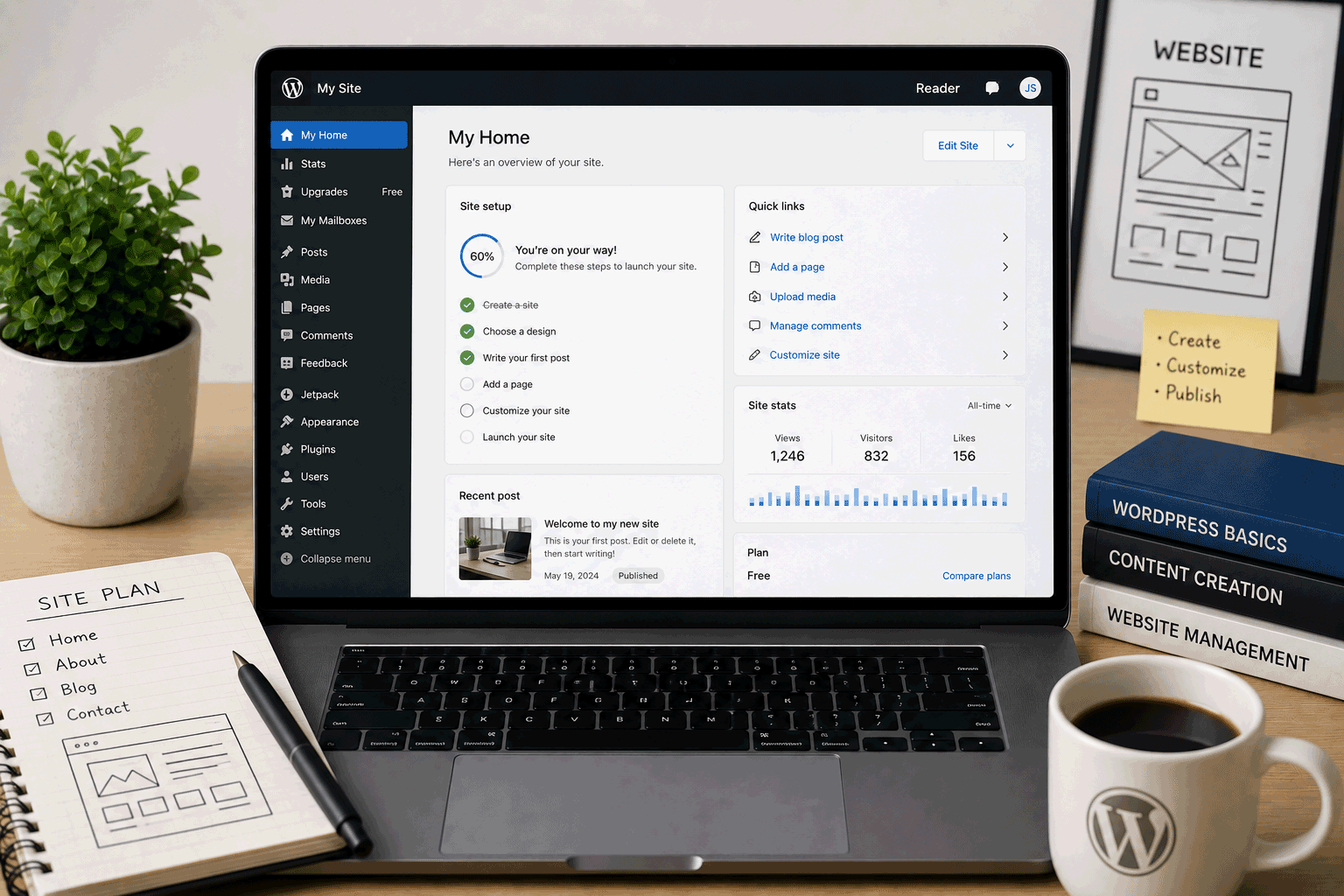
WordPress.com is one of the easiest ways to start a WordPress-style website without setting up your own hosting account. For beginners, that is the main attraction. You can create an account, choose a site name, pick a theme, write pages or posts, and publish without touching server settings, FTP, databases, or manual WordPress installation.
This makes WordPress.com useful for people who want to learn how WordPress publishing feels before paying for a hosting plan. It can be a good place to create a simple blog, personal website, student project, writing portfolio, or early website draft.
But WordPress.com is not the same as downloading WordPress from WordPress.org and installing it on your own hosting account. WordPress.com is a hosted platform with plans, built-in features, platform rules, and upgrade paths. That makes it easier to start, but also more limited on the free plan.
The Free plan includes a no-expiration-date starting option, and WordPress.com’s own free website page says it includes Jetpack essential features such as basic SEO, site statistics, social sharing, and 1 GB of storage. It is a real way to begin, but it is not the same as full self-hosted WordPress freedom.
Link to the official WordPress.com website
Quick summary
| Item | Details |
|---|---|
| Provider | WordPress.com |
| Hosting type | Hosted WordPress website platform |
| Best for | Beginners, simple blogs, personal websites, writing portfolios, early drafts |
| Free plan | Yes |
| Free-plan expiration | No expiration date listed on the pricing page |
| Free storage | 1 GB for Free sites created after March 31, 2022 |
| Free subdomain | Yes, WordPress.com subdomain |
| Custom domain | Paid plans are normally needed for a custom domain |
| Ads on free sites | Yes, free WordPress.com websites include ads |
| Plugins on free plan | Not available; plugin installation requires a paid plan |
| Built-in features | Basic SEO, stats, social sharing, Jetpack essentials |
| Best use | Learning WordPress-style publishing and starting simple websites |
| Not ideal for | Full plugin freedom, self-hosted WordPress control, serious business sites, ecommerce on free plan |
WordPress.com’s support page on storage lists 1 GB for Free sites with no plan, while older free sites created before March 31, 2022 include 3 GB. Its ads support page says free WordPress.com websites include advertisements, and its plugin support page says plugin installation is available on paid WordPress.com plans, while free sites must upgrade to install plugins.
Best for
WordPress.com is best for users who want a simple, hosted way to start writing and publishing with WordPress-style tools.
It is a good fit for:
- Beginners learning WordPress basics
- Personal blogs
- Writing portfolios
- Simple personal websites
- Student writing or project sites
- Hobby websites
- Early website drafts
- Users who do not want to manage hosting
- People who want a low-pressure way to publish content
- Users who may upgrade later if the site grows
WordPress.com is especially helpful when your first goal is not technical control, but getting comfortable with website content: writing pages, publishing posts, editing menus, changing themes, and understanding how a WordPress dashboard feels.
Not ideal for
WordPress.com’s Free plan is not the right fit for every website.
You may want another setup if you need:
- Full plugin installation on a free plan
- Full theme upload freedom on a free plan
- Self-hosted WordPress control
- PHP or database access
- A custom domain without upgrading
- An ad-free visitor experience on the free plan
- Ecommerce flexibility
- Advanced SEO plugins on the free plan
- Full code-level control
- Client production websites
- Serious business websites
- A site where you need to control every technical detail
WordPress.com is easier than self-hosted WordPress, but the free plan is more controlled. That is the trade-off.
Free plan overview
WordPress.com’s Free plan is designed to help users start a website without paying upfront. The pricing page lists the Free plan at $0 with no expiration date, while WordPress.com’s free website page describes it as a starting point that can grow into paid plans later.
The Free plan is useful because it removes many technical steps. You do not need to buy separate hosting, install WordPress manually, create a database, configure PHP, or set up a server.
However, the Free plan has clear limits:
- Free sites use WordPress.com-hosted addresses rather than a normal custom domain.
- Free sites include WordPress.com ads.
- Free sites have 1 GB of storage for newer free sites.
- Free sites cannot install plugins unless upgraded.
- Advanced customization and professional features usually require paid plans.
WordPress.com’s Free plan is best treated as a learning and starting space. It is good for trying WordPress-style publishing, not for replacing a full self-hosted WordPress setup.
Key features
1. Easy hosted WordPress-style publishing
The main reason to choose WordPress.com is simplicity.
With self-hosted WordPress, you usually need to arrange hosting, install WordPress, manage updates, connect a database, and handle more technical details. WordPress.com removes much of that setup.
For a beginner, this can be a relief. You can focus on:
- writing posts
- creating pages
- choosing a theme
- adding images
- learning menus
- arranging homepage content
- understanding the editor
- publishing your first website
This is useful if your goal is to learn content publishing before learning hosting management.
2. Free plan with no expiration date
WordPress.com’s pricing page lists the Free plan as $0 with no expiration date.
That makes it useful for people who want a long-term learning site, hobby blog, or simple personal page without feeling rushed by a short trial period.
It is still a limited plan, but not a temporary trial.
3. Built-in basic SEO, stats, and social sharing
WordPress.com’s free website page says the Free plan includes Jetpack essential features such as basic SEO, site statistics, and social media sharing.
For beginners, this is helpful because you do not need to install separate plugins just to see basic site activity or use simple sharing features.
This does not mean it replaces advanced SEO tools or professional analytics. It simply gives a beginner enough to start learning how content performs.
4. 1 GB storage for newer free sites
WordPress.com support lists Free sites with no plan as having 1 GB of storage. It also notes that free sites created before March 31, 2022 include 3 GB.
For a small blog or personal site, 1 GB may be enough if you keep images optimized and avoid large media uploads.
For image-heavy portfolios, audio files, large PDFs, or video-heavy sites, the storage limit can become restrictive. In that case, use external media platforms where appropriate or consider upgrading.
5. Managed hosting environment
WordPress.com is a hosted platform, so many technical responsibilities are handled for you.
This is different from self-hosted WordPress, where you must manage hosting, updates, backups, plugins, security, and server-level details more directly.
For non-technical users, this managed environment can be a positive thing. It reduces the chance of breaking something through server misconfiguration.
For advanced users, it can feel limiting because you cannot control everything freely on the Free plan.
6. Upgrade path when the site grows
WordPress.com offers paid plans for users who need more features. Its pricing page lists plans such as Personal, Premium, Business, and Commerce, with higher-level features depending on the plan.
This is useful if your site starts as a free personal project but later needs:
- a custom domain
- ad-free visitor experience
- more storage
- plugin installation
- theme uploads
- more support
- ecommerce or payment features
- stronger customization
The Free plan lets you start. Paid plans become more relevant when the site becomes more serious.
Important limitations to know
1. Free sites include ads
This is one of the biggest things to understand.
WordPress.com support says free WordPress.com websites include ads, and that displaying ads helps keep the site free.
For a personal blog or learning site, this may be acceptable. For a business website, professional portfolio, or client-facing project, ads may not feel appropriate.
If you want a cleaner visitor experience, you will likely need to upgrade.
2. Plugin installation is not available on the Free plan
WordPress.com support says installing plugins is available on all paid WordPress.com plans, while free sites must upgrade to install plugins.
This is very important.
Many people think “WordPress” automatically means plugin freedom. That is true for self-hosted WordPress, but not for WordPress.com Free.
If your website needs plugins for SEO, forms, ecommerce, memberships, backups, page builders, analytics, or custom features, the Free plan may be too limited.
3. It is not the same as self-hosted WordPress
WordPress.com and self-hosted WordPress are related, but they are not the same experience.
WordPress.com gives you hosted convenience. Self-hosted WordPress gives you more control when installed on your own hosting.
With self-hosted WordPress, you usually have more flexibility over plugins, themes, files, database, server settings, and custom development. With WordPress.com Free, you get an easier start but less freedom.
This difference matters before you build too much.
4. Custom domain usually requires a paid plan
The Free plan is mainly for starting with a WordPress.com subdomain. Paid plans are designed for users who want a custom domain and a more professional presence. WordPress.com’s pricing page lists the Personal plan as including a custom domain name and a free domain for one year when paid annually.
A free subdomain is fine for testing and learning.
For a professional website, a custom domain is usually better.
5. Storage is limited on the Free plan
The Free plan’s 1 GB storage can be enough for light content, but not for every site.
If you upload many large images, videos, PDFs, or audio files, the limit can become an issue.
Beginners should resize images before uploading and avoid using WordPress.com Free as a file storage service.
6. Advanced customization may require upgrading
WordPress.com gives you a smoother start, but many professional features sit behind paid plans.
Depending on what you need, upgrading may be required for deeper customization, plugins, themes, custom code, support, ad removal, and other features. WordPress.com’s Personal plan support page, for example, lists features such as domain use, plugins, custom code, SSL certificate, ad-free experience, enhanced security, and support as part of the paid plan.
This is normal for a freemium platform, but it should be understood before building a serious site on the Free plan.
Who should use WordPress.com?
Beginners who want to learn WordPress-style publishing
WordPress.com is useful if you want to learn how posts, pages, menus, themes, categories, and the WordPress editor work.
It gives you a safe starting point without needing to manage hosting.
Personal bloggers
If your goal is to write and publish casually, WordPress.com Free can be a good beginning.
You can start writing first and think about upgrades later if the blog grows.
Students and classroom projects
WordPress.com can work well for writing-based projects, simple class websites, and learning content publishing.
It is less suitable for coding assignments that require PHP, MySQL, or plugin development.
Writers and creators testing a content idea
If you want to test a blog topic, essay collection, personal newsletter-style site, or small content project, WordPress.com is a low-pressure starting point.
Users who do not want technical hosting management
If you do not want to install WordPress manually, manage a database, or handle server settings, WordPress.com is easier than self-hosting.
Who should avoid WordPress.com?
Users who need full plugin control on a free plan
If plugin freedom is central to your project, WordPress.com Free is not the right fit.
Plugin installation requires a paid plan.
Users who want self-hosted WordPress flexibility
If you want file access, database control, custom development, server-level control, and full theme/plugin freedom, self-hosted WordPress on separate hosting may be better.
Business owners wanting a professional free site
A serious business website usually needs a custom domain, no ads, stronger customization, better support, and more control.
The Free plan can be used as a draft, but it may not create the professional impression you want.
Ecommerce projects
WordPress.com Free is not the right foundation for a real online store.
Ecommerce usually requires paid features, payment handling, product management, security, support, and a more serious setup.
Developers learning PHP/MySQL
WordPress.com is not a PHP/MySQL learning host.
If your goal is to understand WordPress files, databases, PHP, and server-side development, use self-hosted WordPress or traditional PHP/MySQL hosting.
WordPress.com for beginners
WordPress.com is one of the easier ways for beginners to start publishing.
A beginner can learn:
- how posts work
- how pages work
- how themes change the site
- how menus are organized
- how categories and tags work
- how the WordPress editor feels
- how basic SEO and stats appear
- how a website grows from simple content
This is useful because many beginners do not need full control on day one. They need a place to start writing, arranging pages, and learning how publishing feels.
The main warning is not to confuse easy starting with unlimited freedom. The Free plan is a starting point, not a complete professional WordPress setup.
WordPress.com for blogs
WordPress.com is naturally suitable for blogs.
It is good for:
- personal journals
- hobby blogs
- writing practice
- simple topic-based blogs
- small public writing projects
- beginner content experiments
Because WordPress was originally known strongly as a blogging platform, WordPress.com still feels comfortable for people who want to write regularly.
The Free plan can help you test whether you enjoy blogging before paying for a larger setup.
If you want advanced SEO plugins, monetization flexibility, custom domain branding, or ad-free reading, upgrading or self-hosting may make more sense.
WordPress.com for small business websites
WordPress.com can be used for a simple business draft, but the Free plan is not usually my first recommendation for a final business website.
A business site should usually have:
- custom domain
- ad-free visitor experience
- clear contact options
- strong branding
- professional appearance
- reliable support
- enough storage
- good customization
WordPress.com paid plans may support more of that, but the Free plan is better treated as a draft or learning stage.
If your business website is important to customers, do not judge only by “free.” Judge by trust, clarity, and long-term control.
WordPress.com for portfolios
WordPress.com can work for simple writing portfolios, personal portfolios, and creator pages.
It is especially useful if your portfolio includes blog posts, essays, articles, or written content.
For visual portfolios with many images, the Free plan’s storage and design limits may become noticeable. For developer portfolios, static hosting may be cleaner. For designers who need full layout control, a website builder or custom static site may be better.
Use WordPress.com for a portfolio if you value simple publishing more than deep design freedom.
WordPress.com for students
WordPress.com can be helpful for students who need to publish written work, class reflections, project journals, or simple pages.
It is less suitable for students who need to demonstrate backend coding, plugin development, PHP, MySQL, or custom web app skills.
For students, the key question is:
Is this a content publishing project or a coding project?If it is a content project, WordPress.com can work.
If it is a coding project, choose another hosting type.
Free plan vs paid upgrade
WordPress.com Free is useful for starting, but many important features require paid plans.
The Free plan is good if:
- you are learning
- you are writing casually
- you are testing a blog idea
- you do not mind ads
- you can use a WordPress.com subdomain
- you do not need plugins
- you do not need advanced customization
A paid upgrade becomes more sensible if you need:
- custom domain
- ad-free visitor experience
- more storage
- plugin installation
- more theme flexibility
- custom code
- better support
- professional branding
- stronger business presence
WordPress.com’s pricing page shows paid plans such as Personal, Premium, Business, and Commerce, while its plugin support now says plugin installation is available on all paid plans, with free sites needing an upgrade.
For beginners, a good approach is simple: use Free to learn, then upgrade only when the website has a clear purpose.
Final opinion
WordPress.com is a helpful starting point for people who want to publish with WordPress-style tools without managing hosting. It is easy to begin, friendly for writers, suitable for simple blogs, and useful for beginners who want to learn how WordPress pages and posts work.
Its Free plan is best for low-risk uses: learning, writing practice, personal blogs, student content projects, and simple first drafts. The plan has no expiration date, includes basic SEO, stats, social sharing, and 1 GB of storage for newer free sites.
The main limitations are also clear. Free WordPress.com websites include ads, plugin installation is not available on the Free plan, and professional features such as custom domains and ad-free browsing usually require upgrading.
Use WordPress.com if you want an easy publishing space. Avoid the Free plan if you need full WordPress control, plugin freedom, business-level presentation, ecommerce, or PHP/MySQL access.
For the right beginner, WordPress.com is a comfortable place to start. For the wrong project, it can become limiting faster than expected.
Link to the official WordPress.com website
FAQ
Is WordPress.com free?
Yes. WordPress.com has a Free plan listed at $0 with no expiration date. It is useful for starting a simple website or blog without paying upfront.
How much storage does WordPress.com Free include?
WordPress.com support lists 1 GB of storage for Free sites with no plan. Free sites created before March 31, 2022 include 3 GB.
Does WordPress.com Free show ads?
Yes. WordPress.com support says free WordPress.com websites include ads to help keep the service free.
Can I install plugins on WordPress.com Free?
No. WordPress.com support says installing plugins is available on all paid WordPress.com plans, and free sites must upgrade to install plugins.
Can I use my own domain on WordPress.com Free?
The Free plan is mainly for using a WordPress.com subdomain. Paid plans are normally used when you want a custom domain, and the Personal plan pricing page describes custom domain use and a free domain for one year when paid annually.
Is WordPress.com the same as WordPress.org?
No. WordPress.com is a hosted platform with plans and built-in hosting. WordPress.org provides the open-source WordPress software that you can install on your own hosting. WordPress.com is easier to start, while self-hosted WordPress usually gives more control.
Is WordPress.com good for beginners?
Yes. WordPress.com is good for beginners who want to learn pages, posts, themes, menus, and basic publishing without managing hosting or databases.
Is WordPress.com good for business websites?
It can be used for a draft or simple site, but the Free plan is usually not ideal for a serious business website because it includes ads, uses a platform subdomain, and limits plugin/customization freedom. Paid plans or self-hosted WordPress may be better for business use.
Can I use WordPress.com for ecommerce?
Ecommerce usually requires paid features and a more serious setup. WordPress.com Free is not suitable as a full ecommerce foundation.
Should I choose WordPress.com or self-hosted WordPress?
Choose WordPress.com if you want an easier start and less technical setup. Choose self-hosted WordPress if you want more control over plugins, themes, files, databases, and hosting environment.
“WordPress.com is best when you want to begin publishing first and learn the deeper WordPress decisions later.”
Leave a Reply
You must be logged in to post a comment.