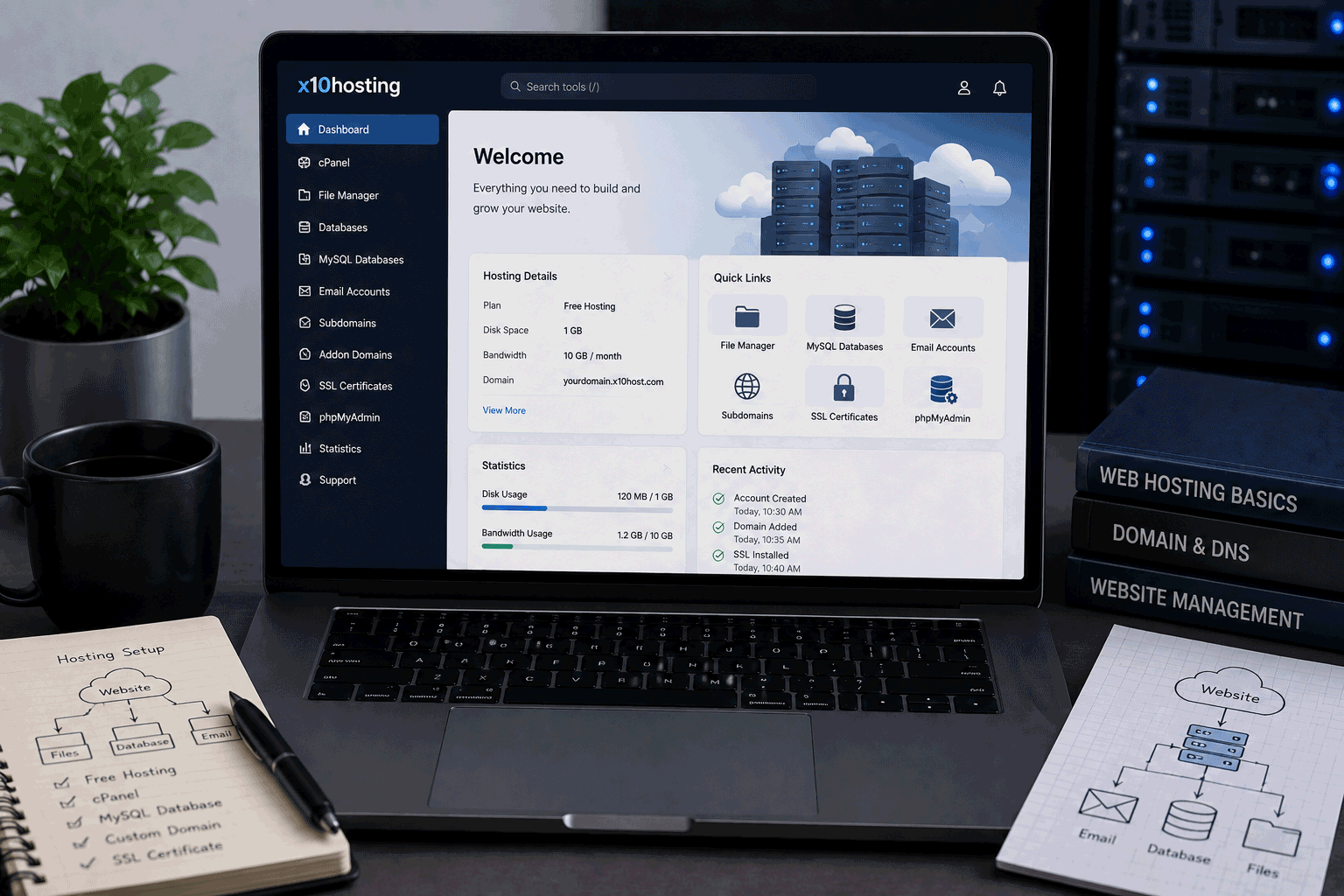
x10Hosting is one of the older names in free web hosting, and it still belongs in the traditional hosting category. It is not a simple website builder only, and it is not a modern static hosting platform only. It is closer to a free shared-hosting-style environment where users can manage websites, databases, email accounts, domains, scripts, and files from a hosting control panel.
For FreeHostsFinder, x10Hosting is worth reviewing because it matches what many users still expect when they search for free web hosting: a real hosting account, control panel access, MySQL databases, email accounts, one-click software installation, WordPress support, and a way to publish without paying at the beginning.
x10Hosting’s current homepage presents its free hosting as “cloud hosting that is free and unlimited,” while its signup table lists the free x10 Basic plan with DirectAdmin, 2 databases, 3 email addresses, 500 MB initial disk space, 3 domains, and self/community support. It also says free accounts can purchase upgrades and that the initial quota may be upgraded for qualifying accounts.
This makes x10Hosting useful for beginners, students, and hobby users who want to learn traditional hosting. But it should still be treated carefully. A free hosting account can be helpful for learning and testing, but it is not the same as a paid production hosting plan for a serious business website.
Link to the official x10Hosting website
Quick summary
| Item | Details |
|---|---|
| Provider | x10Hosting |
| Hosting type | Traditional free web hosting |
| Free plan name | x10 Basic |
| Best for | Beginners, students, WordPress testing, PHP/MySQL learning, small websites |
| Control panel | DirectAdmin on x10 Basic |
| Databases | 2 databases on free account |
| Email accounts | 3 email addresses on free account |
| Disk space | 500 MB initial quota; free upgrades may be available for qualifying accounts |
| Domains | 3 domains on free account |
| Support | Self and community support |
| Website builder | Website builder and templates are promoted |
| One-click installer | 300+ one-click installs, including popular scripts |
| WordPress | WordPress support and installer are promoted |
| Paid upgrade | x10 Premium with cPanel, unlimited databases/email/disk/domains, and dedicated ticket support |
| Not ideal for | Serious business sites, ecommerce, high-traffic websites, large media sites, business-critical projects |
x10Hosting’s own signup table compares x10 Basic and x10 Premium. The free x10 Basic plan uses DirectAdmin and includes 2 databases, 3 email addresses, 500 MB initial disk space, 3 domains, and self/community support, while x10 Premium includes cPanel, unlimited resources in several areas, and 24/7 dedicated ticket support.
Best for
x10Hosting is best for users who want to learn or test traditional web hosting without paying first.
It is a good fit for:
- Beginners learning how web hosting works
- Students publishing small web projects
- Users testing WordPress
- People learning MySQL databases
- Small personal websites
- Lightweight blogs
- HTML/CSS/PHP practice
- Hobby websites
- Users who want email accounts on a free host
- People who want a control-panel hosting experience
The strongest value is educational. With x10Hosting, beginners can learn about domains, databases, email accounts, file uploads, one-click installers, WordPress setup, and hosting control panels. That is different from using a simple drag-and-drop website builder where most hosting details are hidden.
Not ideal for
x10Hosting is not the best fit for every website.
You may want another hosting type if your project needs:
- Strong business reliability
- Ecommerce checkout
- Payment processing
- High traffic
- Large file storage
- Large media uploads
- Priority support
- Advanced server control
- Modern Git deployment
- Frontend preview deployments
- Business email reliability
- Production-level WordPress performance
- Sensitive customer data handling
x10Hosting is useful for small projects and learning, but a free plan with community support should not be treated as the final home for an important business website.
If your website represents income, customers, or reputation, paid hosting is usually safer.
Free plan overview
x10Hosting’s free plan is called x10 Basic. According to the current x10Hosting signup table, this plan includes:
- DirectAdmin control panel
- 2 databases
- 3 email addresses
- 500 MB initial disk space
- 3 domains
- self and community support
- free cost
- upgrade options available
The same page promotes a website builder with more than 150 customizable templates, plus one-click software installation with more than 300 installers, including popular scripts such as WordPress, Joomla, and MyBB.
This makes the free plan useful for small websites and learning projects. It gives users enough room to understand how a hosting account works without needing to pay on day one.
The important point is that the free plan is not unlimited in every practical sense. The table clearly shows specific free-account limits for databases, email accounts, domains, support, and initial disk space.
Key features
1. DirectAdmin control panel on the free plan
x10Hosting’s free x10 Basic plan uses DirectAdmin.
This is useful because DirectAdmin gives users a real hosting-control-panel experience. Beginners can learn how to manage a hosting account in a more traditional way instead of relying only on a simplified site builder.
This can help users understand:
- domains
- databases
- email accounts
- files
- FTP
- application installation
- PHP hosting basics
- control panel navigation
For users who want to learn hosting, this is valuable.
2. Two databases included
The free plan lists 2 databases.
This is enough for a small WordPress test, a simple PHP/MySQL project, or a student database assignment.
It is not enough for someone who wants to run many separate database-backed websites under one free account.
For beginners, two databases can be a good starting point because it keeps things manageable.
3. Three email addresses
x10Hosting lists 3 email addresses for free accounts.
This is helpful because many free hosting providers either limit email heavily or do not include useful email features.
For testing and small personal sites, three email accounts may be enough.
For serious business email, I would still recommend a dedicated email service or paid hosting with stronger email reliability.
4. Website builder and templates
x10Hosting promotes a website builder with more than 150 customizable templates. The site describes a simple process: choose a template, customize it, and publish.
This is useful because x10Hosting can serve two types of beginners:
- users who want to learn traditional hosting
- users who want help creating a website visually
A website builder can reduce the blank-page problem. Someone who does not yet know how to design a site can start from a template and adjust it.
However, users who want full design freedom or modern no-code builder polish may still prefer a dedicated website builder.
5. 300+ one-click installers
x10Hosting says its servers include over 300 one-click installers, including popular third-party scripts such as WordPress, Joomla, and MyBB.
This is helpful for beginners because manual installation can be confusing.
With an installer, users can more easily test:
- WordPress
- Joomla
- forums
- CMS tools
- small web applications
- learning projects
The installer helps with setup, but it does not remove the need to maintain the software. Users should still keep applications updated and avoid installing too many scripts just because they are available.
6. WordPress support
x10Hosting promotes free WordPress hosting and says the hosting platform is optimized for WordPress with support for standard modules and plugins. It also says users can install WordPress through an automated script installer in minutes.
This makes x10Hosting useful for WordPress learning.
Good uses include:
- learning the WordPress dashboard
- testing themes
- trying lightweight plugins
- building a demo site
- preparing a simple blog draft
- understanding WordPress hosting basics
For production WordPress, users should be more careful. WordPress can become heavy with plugins, themes, images, and traffic.
7. Upgrade path to x10 Premium
x10Hosting’s table shows a paid x10 Premium option with cPanel, unlimited databases, unlimited email, unlimited disk space, unlimited domains, and 24/7 dedicated ticket support, starting as low as $3.95/month.
This gives users a growth path.
You can start free, learn the platform, then upgrade if your website needs more resources or better support.
For FreeHostsFinder readers, that is important. A good free host should not only let users start; it should also offer a practical next step when the free plan becomes too small.
Important limitations to know
1. Initial disk space is 500 MB
The free plan table lists 500 MB initial disk space, with a note that free upgrades may be available for qualifying accounts.
This is enough for small websites, but not much for media-heavy projects.
Be careful with:
- large images
- videos
- large PDF files
- backups stored inside the account
- large WordPress themes
- many plugin files
- downloadable resources
For best results, keep the website lightweight. Resize images, remove unused files, and avoid using the hosting account as file storage.
2. Free support is self and community support
x10Hosting’s free plan lists self and community support, while the paid premium plan lists a 24/7 dedicated ticket system.
This is a major difference.
Community support can be fine for learners and hobby users. But if your website is important, you may need direct support.
For business websites, client websites, or anything time-sensitive, limited support can become a real problem.
3. Free account limits are clearly smaller than Premium
The x10Hosting signup table makes the difference between Basic and Premium clear. The free plan has limited databases, email accounts, disk space, and domains. Premium offers unlimited resources in those areas and dedicated ticket support.
This does not make the free plan bad. It simply means the free plan is best for small and low-risk use.
If your site grows, the paid plan becomes more appropriate.
4. Inactive-account concerns
Recent third-party coverage from Tom’s Guide listed x10Hosting as a top free hosting option, but noted that it is ideal for active users and that accounts may expire without monthly logins.
This is important for readers.
If you use a free host, do not assume you can ignore the account forever. Log in regularly, keep backups, and read current account activity rules.
A free hosting account is not the same as long-term archival storage.
5. Not ideal for modern frontend deployment workflows
x10Hosting is traditional hosting.
If your workflow is based on Git deployment, branch previews, build commands, React apps, Next.js projects, Astro sites, or serverless frontend deployment, x10Hosting may not feel like the cleanest option.
It is better for:
- PHP
- MySQL
- WordPress testing
- CMS installation
- control-panel hosting
- email accounts
- small traditional websites
Use it when you want classic hosting. Choose a developer platform when your project is modern frontend-first.
6. Free hosting should not carry sensitive projects
Any free hosting plan should be used carefully with sensitive data.
If your website handles customer data, payments, private files, personal records, or business-critical information, a free plan with community support is not the best foundation.
x10Hosting is useful for learning and small projects. Serious data needs a stronger hosting and security plan.
Who should use x10Hosting?
Beginners learning hosting
x10Hosting is a good fit for beginners who want to learn how real hosting works.
You can practice using a control panel, creating databases, setting up email, installing software, and publishing a website.
Students
Students can use x10Hosting for small website projects, PHP/MySQL practice, WordPress learning, and class demos.
The main advice is to test early and keep backups.
WordPress learners
x10Hosting can be useful for learning WordPress because it promotes an automated WordPress installer and WordPress support.
Use it for lightweight WordPress testing, not for heavy production websites.
Users who want email accounts with free hosting
The free plan includes 3 email addresses, which may be useful for small personal projects or testing domain-related email.
For serious business email, a paid or dedicated email solution is usually safer.
Users comparing classic free hosts
x10Hosting belongs in the same research group as other traditional free hosting providers.
It is useful for readers who want hosting tools like databases, email, WordPress installers, and control panels rather than only static hosting.
Who should avoid x10Hosting?
Business owners with important websites
A serious business website should usually use paid hosting with direct support, backups, stronger reliability, and clearer resource expectations.
x10Hosting Free may be useful for a business draft, but not as the final home for a customer-facing website.
Ecommerce websites
Free hosting is not a good foundation for ecommerce.
Online stores need secure payments, reliable email, database stability, backups, support, and strong uptime. Free hosting is too risky for that role.
High-traffic websites
If you expect growing traffic, campaign traffic, or regular organic search traffic, a free hosting plan may become limiting.
Even if a provider markets free hosting strongly, high-traffic projects should use hosting designed for that scale.
Users who may not log in regularly
Because recent third-party coverage notes inactive-account expiration concerns, x10Hosting is better for active users than abandoned projects.
If you need a website to stay online with minimal attention, check the current inactivity rules carefully.
Developers using modern Git deployment
If you are building frontend apps and want deploy previews, automatic builds, serverless functions, and Git-based workflows, x10Hosting is probably not the best fit.
Use x10Hosting for classic hosting practice, not modern frontend deployment.
x10Hosting for WordPress
x10Hosting can be useful for WordPress learning. Its website promotes free WordPress hosting, automated installation, and support for standard WordPress modules and plugins.
Good WordPress uses include:
- learning the dashboard
- installing WordPress through an installer
- testing a simple theme
- trying a few lightweight plugins
- creating a personal blog draft
- learning how WordPress uses hosting resources
Be careful with:
- heavy page builders
- large image libraries
- WooCommerce
- many plugins
- backup plugins storing large files
- high-traffic blogs
- business-critical WordPress sites
For WordPress, x10Hosting Free is best as a learning and testing environment.
x10Hosting for PHP and MySQL projects
x10Hosting can support small PHP/MySQL learning projects because the free plan includes databases and advanced hosting tools, including PHPMyAdmin mentioned on the official site.
It may work for:
- PHP practice
- database connection testing
- basic forms
- small CRUD projects
- login-system experiments
- student assignments
- lightweight dynamic websites
Keep the project small and avoid storing sensitive data.
x10Hosting for static websites
x10Hosting can host static HTML, CSS, and JavaScript websites, but that is not necessarily its most unique use.
If your website is purely static, you may not need databases, email, or one-click installers. But if you want to learn traditional hosting at the same time, x10Hosting still makes sense.
Use x10Hosting for static websites when you want control-panel hosting.
Use static hosting platforms when you want Git-based deployment and frontend workflow features.
x10Hosting for small business websites
x10Hosting Free may be used for a very early small business draft.
It can help you test:
- a simple homepage
- service descriptions
- a basic contact page
- a WordPress layout
- a temporary web presence
But a serious small business website should usually move to paid hosting.
Business websites need trust. That usually means direct support, backups, reliable email, professional domain setup, SSL, uptime confidence, and fewer free-plan limitations.
Use the free plan to test. Upgrade when the site represents your business.
Free plan vs paid upgrade
x10Hosting’s free x10 Basic plan is useful for small websites and learning. Its paid x10 Premium plan is positioned for users who need more resources and better support, with cPanel, unlimited databases, unlimited email, unlimited disk space, unlimited domains, and 24/7 dedicated ticket support.
Use x10 Basic if:
- you are learning
- the project is small
- you want DirectAdmin access
- 500 MB initial disk space is enough
- 2 databases are enough
- 3 email accounts are enough
- community support is acceptable
- the website is not business-critical
Consider upgrading if:
- the website becomes important
- you need more disk space
- you need more databases
- you need more email accounts
- you need cPanel
- you need direct ticket support
- the site receives real visitors
- the project is for business or clients
The free plan is a good starting point. Paid hosting becomes more sensible when the site is no longer just a practice project.
Final opinion
x10Hosting is a useful traditional free hosting option for people who want more than a simple website builder. The free x10 Basic plan gives users DirectAdmin, 2 databases, 3 email addresses, 500 MB initial disk space, 3 domains, and access to self/community support. The platform also promotes website templates, a site builder, 300+ one-click installers, and WordPress support.
Its main strength is learning value. It gives beginners and students a chance to experience a real hosting environment without paying first.
Its main weakness is that the free plan should not be stretched too far. The disk space, support model, database count, and inactivity concerns make it best for small active projects, not serious business websites. Recent third-party coverage also notes that x10Hosting is best for active users and warns about account expiration without monthly logins.
Use x10Hosting for learning, WordPress testing, PHP/MySQL practice, and small personal websites. Keep backups, stay active, and upgrade when your website starts to matter.
Link to the official x10Hosting website
FAQ
Is x10Hosting free?
Yes. x10Hosting offers a free x10 Basic plan. Its signup table lists the cost as “Always Free.”
What control panel does x10Hosting Free use?
The free x10 Basic plan lists DirectAdmin as the control panel.
How much disk space does x10Hosting Free include?
x10Hosting lists 500 MB initial disk space for free accounts, with a note that free upgrades may be available for qualifying accounts.
How many databases does x10Hosting Free include?
The free x10 Basic plan lists 2 databases.
Does x10Hosting Free include email?
Yes. The free plan lists 3 email addresses.
Does x10Hosting support WordPress?
Yes. x10Hosting promotes free WordPress hosting and says users can install WordPress through an automated script installer.
Does x10Hosting include a website builder?
Yes. x10Hosting promotes a website builder with more than 150 customizable templates.
Does x10Hosting have one-click installers?
Yes. x10Hosting says its servers have over 300 one-click installers, including popular scripts such as WordPress, Joomla, and MyBB.
Is x10Hosting good for beginners?
Yes, especially for beginners who want to learn traditional hosting, databases, email accounts, WordPress installation, and control-panel basics.
Is x10Hosting good for business websites?
It may be useful for a business website draft or test project, but I would not recommend the free plan as the final home for a serious business website. Business sites usually need stronger support, backups, reliability, and hosting resources.
“x10Hosting is best when you want to learn real hosting with a small, active project — not when you need free hosting to quietly carry an important business website.”
Leave a Reply
You must be logged in to post a comment.