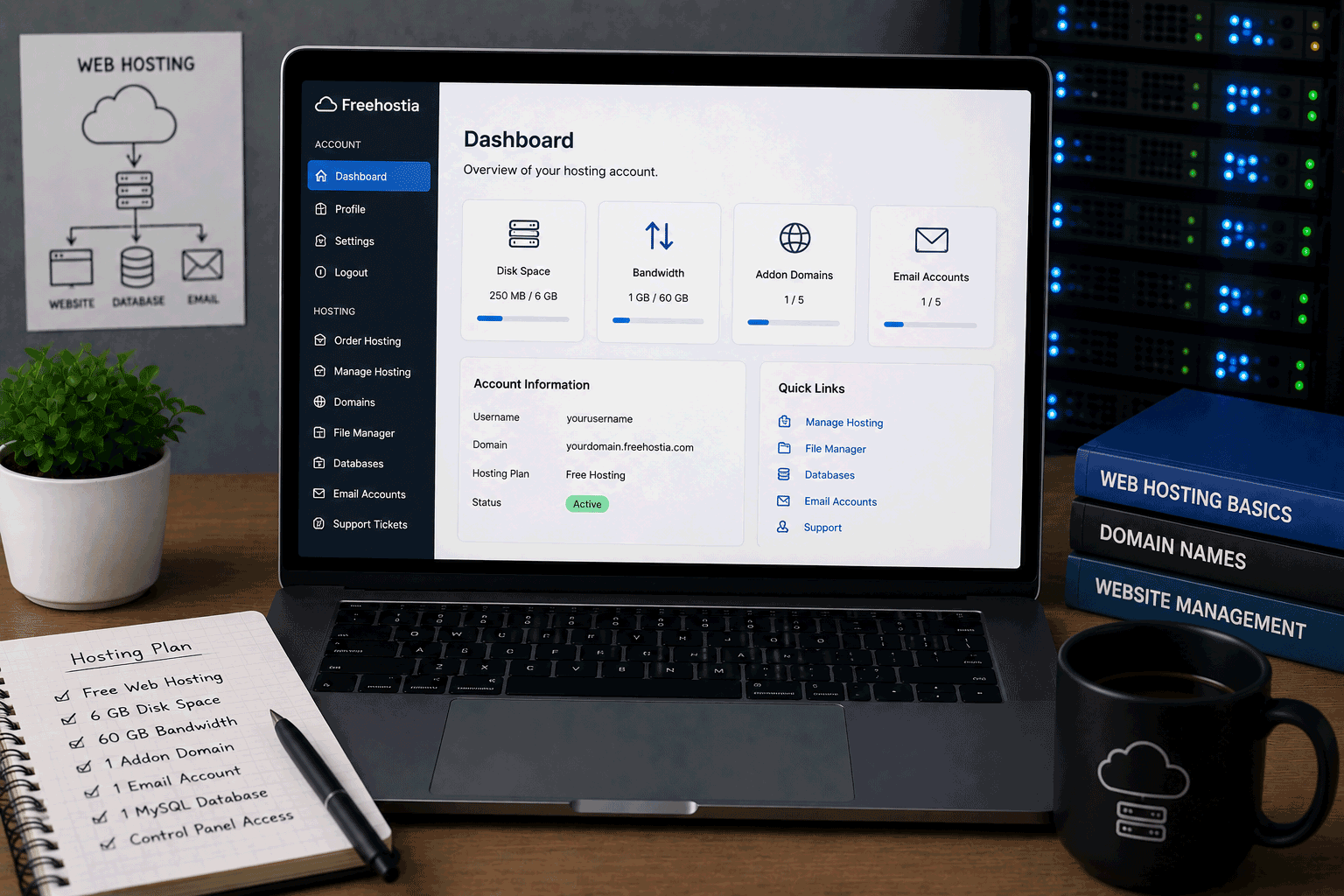
Freehostia is a long-running free hosting provider with a free plan called the Chocolate plan. It is made for users who want a small traditional hosting account without paying upfront. Unlike static hosting platforms or website builders, Freehostia gives users a more classic hosting environment with hosted domains, email accounts, PHP support, MySQL, a file manager, an app installer, SSL options, and a hosting control panel.
For FreeHostsFinder, Freehostia is worth reviewing because it represents a specific type of free hosting: small, limited, but practical for learning and lightweight projects. It is not trying to be the biggest free hosting plan on paper. The storage is small, the database size is limited, and the file size limit is tight. But for a simple personal site, a tiny test project, or someone learning how hosting works, it may still be useful.
Freehostia’s official free cloud hosting page lists the Chocolate plan at $0.00/month, with 250 MB disk space, 6 GB monthly traffic, 5 hosted domains, 3 email accounts, 1 MySQL v.5 database, 10 MB MySQL storage, and a 2 MB file size limit. It also includes a 1-click web applications installer, file manager, FTP manager, PHP support, phpMyAdmin, Let’s Encrypt SSL certificates, and 24/7 customer support.
This is a free plan with real hosting features, but it is clearly built for small websites. If you expect to grow quickly, upload many files, run a heavy WordPress site, or build something business-critical, you should treat Freehostia Free as a starting point rather than a final hosting home.
Link to the official Freehostia website
Quick summary
| Item | Details |
|---|---|
| Provider | Freehostia |
| Free plan name | Chocolate plan |
| Hosting type | Free cloud hosting / traditional web hosting |
| Best for | Small personal sites, learning projects, lightweight PHP/MySQL testing, simple WordPress experiments |
| Free price | $0.00/month |
| Disk space | 250 MB |
| Monthly traffic | 6 GB |
| Hosted domains | 5 |
| Email accounts | 3 |
| Database | 1 MySQL v.5 database |
| MySQL storage | 10 MB |
| File size limit | 2 MB |
| PHP support | PHP4, PHP5, PHP7, and PHP8 support listed |
| App installer | 1-click Web Applications Installer |
| SSL | Let’s Encrypt SSL certificates and self-signed SSL certificates listed |
| File tools | File Manager and FTP Manager listed |
| Support | 24/7 customer support and integrated ticketing system listed |
| Not ideal for | Large websites, media-heavy sites, ecommerce, serious business hosting, heavy WordPress sites |
Freehostia’s own free hosting page describes the Chocolate plan as a way to “take a free bite” of its hosting service and says users can keep the free hosting account for as long as they want without charge.
Best for
Freehostia is best for users who need a small traditional hosting account for simple projects.
It is a good fit for:
- Beginners learning web hosting
- Students testing small PHP projects
- Users creating a small personal website
- People who want to try a hosting control panel
- Lightweight HTML/CSS websites
- Small PHP/MySQL experiments
- Tiny WordPress or Joomla tests
- Users who want email accounts on a free hosting plan
- People who want to understand file managers, FTP, databases, and SSL
The free plan is especially useful when the goal is learning, not scaling. You can try real hosting features without paying first, but you need to keep the website small and simple.
Freehostia’s free hosting page also positions the Chocolate plan as suitable for small online business or personal websites, but its resource limits make it more appropriate for very small sites rather than a serious production business website.
Not ideal for
Freehostia is not the right match for every project.
You may want another type of hosting if your website needs:
- Large storage
- Many image uploads
- Large file downloads
- Video hosting
- High traffic
- Multiple databases
- Heavy WordPress plugins
- WooCommerce or ecommerce
- Large database storage
- Modern application deployment
- Git-based frontend workflow
- Business-critical reliability
- A large blog or content website
- Server-side projects with larger files
The 250 MB disk space, 10 MB MySQL storage, and 2 MB file size limit are the biggest practical restrictions for many users. Those limits are acceptable for learning and very small sites, but they can become a problem quickly if your website grows.
Free plan overview
Freehostia’s free plan is called the Chocolate plan. It is a small free hosting package designed to let users try Freehostia’s hosting environment without paying.
The official plan details list:
- 250 MB disk space
- 6 GB monthly traffic
- 5 hosted domains
- 3 email accounts
- 1 MySQL v.5 database
- 10 MB MySQL storage
- 2 MB file size limit
- 1-click Web Applications Installer
- File Manager
- FTP Manager
- phpMyAdmin
- Let’s Encrypt SSL certificates
- PHP4, PHP5, PHP7, and PHP8 support
- 24/7 customer support
- Integrated ticketing system
- 99.9% server uptime claim
This is a useful free feature set for a very small hosting plan. It gives beginners enough tools to learn real hosting basics, but the limits are important.
A simple HTML/CSS site can fit easily. A small PHP test project can work. A lightweight WordPress test may be possible. But a real content-heavy WordPress website can quickly outgrow the storage and database limits.
In simple terms:
Freehostia Free is useful for small, careful projects.
It is not designed for large or growing websites.
Key features
1. Traditional hosting features in a free plan
Freehostia gives users a more traditional hosting experience than a no-code builder.
You can work with hosted domains, email accounts, MySQL, PHP, FTP, a file manager, a web applications installer, and SSL tools. These are useful features for people who want to understand how web hosting works behind the scenes.
For beginners, this can be more educational than starting with a platform that hides all hosting details.
You can learn:
- how to upload files
- how domains connect to hosting
- how MySQL databases are created
- how PHP runs on hosting
- how SSL is added
- how email accounts are managed
- how a hosting control panel feels
That learning value is one of the strongest reasons to list Freehostia.
2. Five hosted domains on the free plan
Freehostia’s Chocolate plan lists 5 hosted domains.
This is interesting because many free hosting plans limit users to one website or one subdomain. With Freehostia, the plan appears more flexible for small multi-site testing.
However, the resource limits still apply. Hosting several websites under one free account does not mean you have enough storage or database capacity for several full websites.
This feature is best used for small tests, very simple pages, or learning domain setup.
3. Email accounts included
Freehostia lists 3 email accounts on the Chocolate plan.
This is useful because not every free hosting plan includes email. For small learning projects, club sites, or personal domains, having email account support can be helpful.
However, for business email, I would still be careful. Free hosting email may be enough for testing, but serious business communication usually deserves a dedicated professional email service.
4. PHP and MySQL support
Freehostia lists support for PHP4, PHP5, PHP7, and PHP8, and includes 1 MySQL v.5 database with 10 MB storage on the free Chocolate plan.
This makes it useful for:
- small PHP scripts
- basic form processing
- simple database tests
- student exercises
- small dynamic pages
- lightweight CMS experiments
The MySQL storage limit is very small, so this is not a good choice for database-heavy projects. But for learning how PHP and MySQL connect, it can be enough.
5. 1-click Web Applications Installer
The Chocolate plan includes a 1-click free Web Applications Installer. Freehostia’s homepage says users can install Joomla, WordPress, or other free web applications with a click.
This is helpful for beginners who want to test CMS tools without manually uploading installation files and creating every setting from scratch.
Good uses include:
- trying WordPress basics
- testing Joomla
- learning CMS installation
- creating a small demo site
- understanding how apps work on a hosting account
The caution is simple: CMS tools can become heavy. With 250 MB disk space and 10 MB MySQL storage, you should keep any CMS test very lightweight.
6. SSL options
Freehostia lists Let’s Encrypt SSL certificates and self-signed SSL certificates under the Chocolate plan security features.
This matters because even simple websites should use HTTPS where possible.
For visitors, HTTPS helps avoid browser warnings and gives the site a more trustworthy appearance. For beginners, it is also useful to learn how SSL works in a real hosting environment.
7. Support and documentation
Freehostia lists 24/7 customer support, video tutorials, extensive online documentation, integrated ticketing, and a 1-hour ticket/email response under its customer support section.
For a free hosting plan, that is a notable claim.
Users should still keep realistic expectations. Free hosting support may not feel the same as premium managed hosting support, and important websites should not depend entirely on a free plan. But for beginners, having documentation and ticket support available is helpful.
Important limitations to know
1. Storage is very small
The Chocolate plan includes 250 MB disk space.
This is enough for a small static site or a very lightweight PHP project. It is not much for WordPress, image-heavy pages, galleries, downloads, or media-rich websites.
To stay within the limit:
- resize images before uploading
- avoid large downloads
- do not upload videos directly
- remove unused themes and files
- keep the site simple
Freehostia Free is best for small websites that do not need much storage.
2. MySQL storage is limited to 10 MB
The free plan lists 10 MB MySQL storage.
This is one of the most important limits.
A simple learning database may fit. A real WordPress site, forum, content-heavy blog, or database-driven app may outgrow this quickly.
If you plan to use WordPress, keep expectations low. A small test installation may be fine, but a serious site needs a stronger hosting plan.
3. File size limit is 2 MB
Freehostia lists a 2 MB file size limit on the Chocolate plan.
This can affect uploads more than beginners expect.
Large images, theme files, plugin packages, PDFs, zip files, and media files may exceed this limit.
This makes the free plan less suitable for:
- media-heavy websites
- downloadable resources
- large theme uploads
- large plugin uploads
- file storage
- image portfolios with uncompressed files
For a clean small website, it may be manageable. For bigger websites, it becomes restrictive.
4. SMTP server is off
The Chocolate plan lists SMTP Server: Off.
This may matter if your website needs reliable outgoing email, such as contact form notifications, user registration emails, password resets, or automated messages.
Although the plan includes email accounts, users should check carefully how sending and receiving email works for their specific use case.
For serious email needs, a dedicated email provider is usually safer.
5. Not ideal for modern frontend workflows
Freehostia is traditional hosting.
It is not designed around Git deployment, automatic builds, deploy previews, serverless functions, or modern frontend frameworks.
If you are building a React, Vue, Astro, or Next.js frontend project, a static/developer hosting platform may feel more natural.
Use Freehostia when you need traditional PHP/MySQL-style hosting. Use developer hosting when you need a modern frontend workflow.
6. Not a long-term home for serious websites
Freehostia’s free plan is useful, but it is clearly limited.
The company itself positions the Chocolate plan as a free way to experience and evaluate the service, with easy upgrade options to paid hosting packages.
That is a fair way to look at it.
Use it to learn, test, and start small. Upgrade or move when your website becomes important.
Who should use Freehostia?
Beginners learning hosting
Freehostia is useful if you want to learn real hosting basics without paying.
You can practice working with files, domains, PHP, databases, SSL, email, and app installation.
Students
Students can use Freehostia for small assignments, simple PHP projects, basic MySQL practice, or lightweight website demos.
The small storage and database limits mean students should test early and keep projects simple.
Personal website owners
A simple personal site, online profile, or small information page can fit the free plan if it is lightweight.
Avoid large images and heavy CMS setups.
WordPress testers
Freehostia can be used to test WordPress through its application installer, but it should be used carefully.
A tiny WordPress test can work. A serious WordPress site will likely need more resources.
Users who want email accounts on free hosting
Because the free plan lists 3 email accounts, Freehostia may appeal to users who want to test domain-based email as part of a hosting setup.
For professional email, use a dedicated service.
Who should avoid Freehostia?
Users building large websites
Freehostia Free is not suitable for large websites because of its 250 MB disk space, 10 MB MySQL storage, and 2 MB file size limit.
Serious business websites
A business website needs reliability, backups, performance, support, and room to grow.
Freehostia can help test a draft, but it is not the hosting foundation I would choose for a serious customer-facing business site.
Ecommerce projects
Freehostia Free is not a good fit for ecommerce.
Online stores need secure checkout, database capacity, product media, performance, backups, email reliability, and support. A limited free plan is not enough.
Heavy WordPress users
If you want to run WordPress with many plugins, large images, page builders, or regular publishing, the free plan is likely too small.
Use Freehostia for testing, not for heavy WordPress production.
Developers using Git-based deployment
Freehostia is not built for modern Git deployment and frontend build workflows.
Developers building static or frontend apps may prefer a platform designed for that workflow.
Freehostia for WordPress
Freehostia’s website says its 1-click app installer can install WordPress and Joomla, and its platform is optimized for popular PHP web applications including Joomla, WordPress, and PrestaShop.
This makes Freehostia useful for WordPress learning.
Good uses include:
- learning WordPress installation
- testing the dashboard
- trying a very lightweight theme
- creating a small demo
- understanding WordPress hosting basics
Be careful with:
- large themes
- many plugins
- ecommerce plugins
- large media libraries
- frequent publishing
- production business websites
The 10 MB MySQL storage limit is the biggest concern for WordPress. A WordPress site can grow its database quickly through posts, settings, revisions, plugins, and theme data.
Freehostia for PHP and MySQL projects
Freehostia is a practical option for small PHP/MySQL learning projects.
It can support:
- basic PHP pages
- form handling
- database connection practice
- simple CRUD exercises
- small student projects
- tiny CMS experiments
- lightweight dynamic pages
The free plan includes PHP support, phpMyAdmin, and one MySQL database.
The key is to keep the project small. The 10 MB MySQL storage and 2 MB file size limit make it unsuitable for larger applications.
Freehostia for static websites
Freehostia can host static HTML, CSS, JavaScript, and images, but it may not be the best choice if the website is purely static.
For a very small static website, Freehostia works. But if you want Git deployment, preview deployments, or frontend framework builds, a static hosting platform may be more convenient.
Freehostia makes more sense if you want traditional hosting features such as email, PHP, MySQL, and a control panel.
Freehostia for small business websites
Freehostia says the Chocolate plan can be used for a small online business or personal website.
That may be true for a very small test or temporary page. For example:
- a one-page business draft
- a basic service description
- a small contact page
- a temporary campaign page
- a proof-of-concept website
But for a serious business website, the free plan is too limited.
A business website should usually have more storage, stronger email reliability, better backup options, more predictable performance, and fewer technical restrictions.
Use Freehostia Free to test. Use a stronger plan when the website becomes important.
Free plan vs paid upgrade
Freehostia’s free Chocolate plan is useful for starting, but the company clearly provides upgrade paths to paid hosting packages such as Watercircle, Lovebeat, Wildhoney, and Supernatural.
Use the free plan if:
- you are learning
- your site is very small
- you need PHP/MySQL basics
- you want a tiny CMS test
- you want to try Freehostia’s control panel
- 250 MB storage is enough
- 10 MB database storage is enough
- 2 MB file size limit is acceptable
Consider upgrading if:
- your website grows
- you need more storage
- you need more database space
- you need larger file uploads
- you need stronger email features
- you need better performance
- your site becomes business-related
- WordPress becomes too heavy for the free plan
The free plan is a good sample of the hosting environment. It is not a plan to force beyond its natural size.
Final opinion
Freehostia is a useful free hosting provider for people who want a small, traditional hosting account with real hosting features. The Chocolate plan includes 250 MB disk space, 6 GB monthly traffic, 5 hosted domains, 3 email accounts, 1 MySQL database, PHP support, phpMyAdmin, app installer, SSL options, file tools, and customer support.
Its strength is not size. Its strength is giving beginners a compact hosting environment where they can learn and test without paying first.
The limitations are very important. The 250 MB storage, 10 MB MySQL storage, and 2 MB file size limit make it suitable only for small websites and lightweight experiments. It is not the right choice for heavy WordPress sites, ecommerce, large media projects, or serious business websites.
Use Freehostia if you want to learn traditional web hosting and keep your project small. Avoid it if you need room to grow from the beginning.
Link to the official Freehostia website
FAQ
Is Freehostia free?
Yes. Freehostia offers a free hosting plan called the Chocolate plan at $0.00/month, and its official page says users can keep a free hosting account for as long as they want without charge.
How much storage does Freehostia Free include?
Freehostia’s Chocolate plan includes 250 MB of disk space.
How much monthly traffic does Freehostia Free include?
The Chocolate plan includes 6 GB of monthly traffic.
Does Freehostia support PHP and MySQL?
Yes. Freehostia lists PHP support, phpMyAdmin, and 1 MySQL v.5 database on the Chocolate plan.
Can I install WordPress on Freehostia?
Yes. Freehostia says its 1-click Web Applications Installer can install WordPress, Joomla, and other free applications.
Does Freehostia include email accounts?
Yes. The Chocolate plan lists 3 email accounts.
Does Freehostia support SSL?
Yes. Freehostia lists Let’s Encrypt SSL certificates and self-signed SSL certificates among the Chocolate plan features.
What is the file size limit on Freehostia Free?
Freehostia’s Chocolate plan lists a 2 MB file size limit.
Is Freehostia good for WordPress?
Freehostia can be useful for small WordPress tests or learning projects. However, the 250 MB disk space and 10 MB MySQL storage limits make it unsuitable for larger or serious WordPress websites.
Is Freehostia good for business websites?
It can be used for a very small business draft or temporary page, but serious business websites should use stronger hosting with more storage, better email reliability, larger database capacity, backups, and clearer room to grow.
“Freehostia is best when you treat the free plan as a small workshop for learning hosting — not as a warehouse for a growing website.”
Leave a Reply
You must be logged in to post a comment.