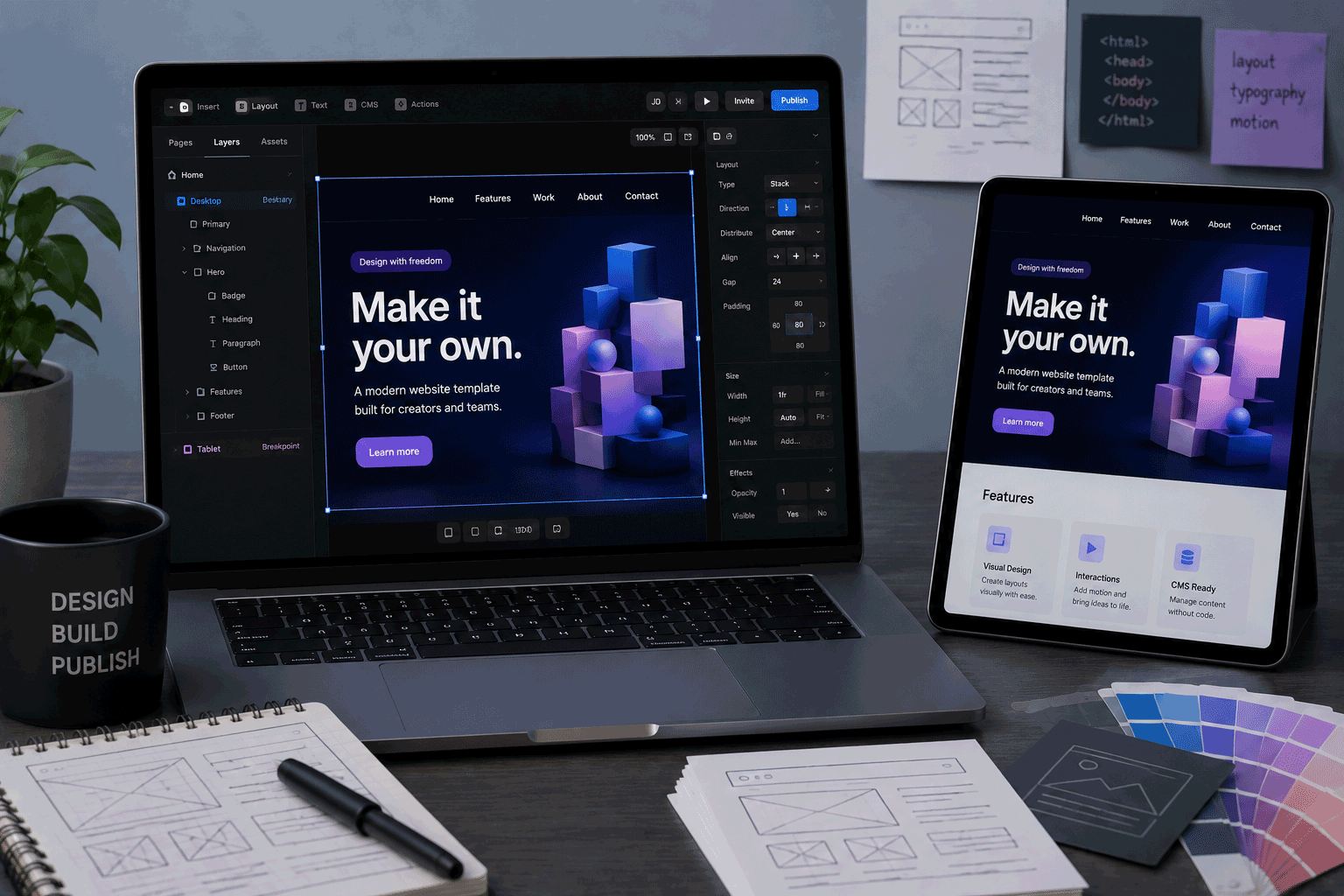
Framer is a modern website builder made for people who care about design, speed, and visual presentation. It is especially popular for portfolios, startup landing pages, product pages, agency websites, personal sites, and marketing pages that need to look polished without being built from scratch in code.
For FreeHostsFinder readers, Framer is interesting because it sits in a different category from traditional free web hosting. It is not a PHP/MySQL host. It is not cPanel hosting. It is not a place to install WordPress. Instead, Framer is a hosted visual website builder with AI-assisted design tools, built-in hosting, CMS features, SEO tools, and publishing options.
Framer’s pricing page describes the Free plan as suitable for non-commercial use, and says free projects include access to 10 CMS collections, 1,000 pages, 5 MB file uploads, and one free locale to try. It also notes that users need to upgrade to a paid plan to connect a custom domain. Framer’s paid Basic plan starts at $10/month annually and includes custom domain support, AI-powered design tools, fast and secure hosting, and built-in SEO.
Framer can be a very good starting point if you want to design a professional-looking website draft, test an AI website builder, or build a portfolio before deciding whether to pay for a custom domain. But it is not the best fit if you need traditional hosting, backend code, PHP, MySQL, or full WordPress-style control.
Link to the official Framer website
Quick summary
| Item | Details |
|---|---|
| Provider | Framer |
| Hosting type | Hosted website builder / AI website builder / visual design platform |
| Best for | Portfolios, landing pages, startup pages, agency sites, product pages, design-focused websites |
| Free plan | Yes |
| Free-plan positioning | Non-commercial use |
| Free CMS collections | 10 CMS collections |
| Free pages | 1,000 pages |
| Free file uploads | 5 MB file uploads |
| Free locale | 1 free locale to try |
| Custom domain | Requires paid plan |
| Basic plan | $10/month annually |
| Basic bandwidth | 10 GB monthly bandwidth |
| Basic pages | 30 pages |
| Basic CMS | 1 CMS collection, 1,000 CMS items |
| Pro plan | $30/month annually |
| Pro bandwidth | 100 GB monthly bandwidth |
| Pro pages | 150 pages |
| Pro CMS | 10 CMS collections, 2,500 CMS items |
| SSL | Automated SSL on every plan |
| Hosting | Built-in Framer hosting |
| AI tools | AI-powered design tools available |
| PHP/MySQL | Not supported as traditional hosting |
| WordPress | Not normal WordPress hosting |
| Not ideal for | PHP apps, MySQL projects, standard WordPress, full backend applications, ecommerce systems needing backend control |
Framer’s hosting page says SSL is free on every plan and that certificates are automatically provisioned and renewed. Its hosting page also describes automated SSL, security features, password protection, smart rate limiting, and infrastructure engineered for at least 99.99% enterprise uptime.
Best for
Framer is best for users who want a visually polished website without managing hosting technology.
It is a good fit for:
- Designer portfolios
- Freelancer websites
- Startup landing pages
- SaaS marketing pages
- Product launch pages
- Agency websites
- Personal brand websites
- Resume-style websites
- Event landing pages
- Small marketing websites
- Design prototypes that may become real websites
- Users who want AI-assisted website creation
Framer works especially well when design quality matters. If you want a website that feels modern, clean, responsive, and visually refined, Framer gives you more creative control than many beginner website builders.
It is also useful for users who want to move quickly. Framer’s AI page highlights tools such as Wireframer, which can create a responsive page with structure and starter content from a prompt, ready to edit.
Not ideal for
Framer is not the right choice for every website.
You may want another platform if your project needs:
- PHP
- MySQL or MariaDB
- cPanel hosting
- FTP-based hosting
- Normal self-hosted WordPress
- Plugin-based WordPress features
- Full backend application hosting
- Server-side code control
- Large database-driven directories
- Traditional ecommerce backend control
- Git-based developer deployment
- A fully free custom-domain website
- A simple hosting account for coding practice
Framer is a website builder and hosting platform, not traditional web hosting. That is important for readers to understand.
If your goal is to learn PHP and MySQL, Framer is not the right place. If your goal is to build a design-focused website visually, Framer may be a strong option.
Free plan overview
Framer’s Free plan is mainly for trying the platform, creating non-commercial projects, exploring the design environment, and building drafts before upgrading.
The pricing FAQ says the Free plan includes access to:
- 10 CMS collections
- 1,000 pages
- 5 MB file uploads
- one free locale to try
- collaboration with up to three editors in workspaces without a subscription
Framer also says that a custom domain requires a paid plan.
This means Framer Free can be very useful for learning and design exploration. You can create a website draft, test Framer’s editor, experiment with CMS structure, and try AI-assisted design tools.
However, the Free plan is not the ideal final home for a professional website. The lack of custom domain support on Free is the biggest practical limitation. If the site represents a business, portfolio, product, or professional identity, a custom domain will usually be needed.
In simple terms:
Framer Free is good for designing and testing.
Framer paid plans are usually needed for serious publishing.
Key features
1. Visual website design with modern control
Framer’s biggest strength is visual design.
It is built for people who want to shape the website carefully, not only fill in a basic template. You can work with layouts, responsive breakpoints, design elements, sections, CMS content, and interactions in a visual environment.
This makes Framer especially useful for:
- designers
- agencies
- creators
- startup founders
- product marketers
- freelancers
- portfolio owners
For users who care about how a site feels, Framer can be more enjoyable than a basic drag-and-drop builder.
2. AI-assisted website creation
Framer includes AI design tools. Its AI page describes Wireframer as a way to skip the blank canvas by chatting with Framer AI and getting a responsive page with structure and starter content, ready to edit. It also describes AI Translate for translating an entire site and AI Plugins that can connect with models such as OpenAI, Anthropic, and Gemini for tasks like image generation, rewriting text, and generating alt text.
This is useful for users who struggle with the first draft.
AI can help create a starting structure, but the final website still needs human review. Your real positioning, service details, images, examples, and tone should be edited carefully.
For FreeHostsFinder readers, this makes Framer relevant to the “Free AI Website Builder” category.
3. Built-in hosting
Framer includes hosting as part of the platform. Paid plans list fast and secure hosting, built-in SEO, and custom domain support.
This is helpful because users do not need to buy a separate shared hosting account or configure a server.
You design and publish from one place.
For non-technical users, this is much easier than traditional hosting. For developers who want server-level control, it may feel limiting.
4. Automated SSL
Framer’s hosting page says SSL is free on every plan and that certificates are automatically provisioned and renewed through providers such as Let’s Encrypt and ZeroSSL.
This is an important benefit.
Modern websites should load securely over HTTPS. Automated SSL removes one technical task that can confuse beginners.
For portfolios, landing pages, and business websites, this helps the published site feel more trustworthy.
5. CMS support
Framer includes CMS features. The Free plan includes 10 CMS collections, while paid plans have different CMS limits. On the pricing page, Basic includes 1 CMS collection and 1,000 CMS items, Pro includes 10 CMS collections and 2,500 CMS items, and Scale includes 20 CMS collections and 10,000 CMS items, with additional usage options on Scale.
This is useful for structured content such as:
- blog-style updates
- portfolio projects
- case studies
- team members
- services
- testimonials
- product cards
- resources
However, Framer is still not the same as WordPress. It can manage structured website content, but it is not a PHP/plugin-based CMS.
6. Built-in SEO and performance-focused hosting
Framer’s paid Basic plan lists built-in SEO, while Framer’s hosting page presents the platform as advanced hosting infrastructure for global scale. Framer’s pricing table also shows monthly bandwidth limits, such as 10 GB on Basic, 100 GB on Pro, and 200 GB on Scale.
This makes Framer suitable for marketing pages and public websites where presentation and performance matter.
Still, SEO is not automatic. A Framer site still needs useful content, clear headings, good page titles, proper internal linking, optimized images, and original writing.
Framer can provide the platform. The site owner still needs to provide the value.
7. Staging and version history on higher plans
Framer’s pricing page lists staging and instant rollback as part of Pro, and the hosting page describes isolated staging and version history. Framer says users can spin up an isolated staging environment on a .framer.app domain and use version history to preview previous builds and deploy a version to production with one click.
This is useful for professional website updates.
You can test changes before pushing them live and recover from mistakes more easily.
For a simple personal site, this may not matter. For a business or agency site, it can matter a lot.
Important limitations to know
1. Free plan does not support custom domains
Framer’s pricing FAQ says users need to upgrade to a paid plan to connect a custom domain.
This is one of the most important limitations.
A free Framer URL may be fine for testing, learning, or sharing a draft. But a professional website usually needs a custom domain.
For example:
yourname.com
yourstudio.com
yourproduct.com
will usually look more credible than a platform subdomain.
If the website is important, plan for a paid Framer site plan.
2. Free plan is positioned for non-commercial use
Framer’s pricing FAQ says the Free plan is ideal for non-commercial use.
This matters for FreeHostsFinder readers.
If someone wants to create a business website, client website, revenue-generating site, or serious marketing page, they should review Framer’s paid plans instead of assuming the Free plan is suitable.
Free is best for exploration. Paid is usually needed for professional publishing.
3. Paid plan limits need careful checking
Framer’s paid plans have limits. For example, Basic includes 30 pages, 1 CMS collection, 1,000 CMS items, and 10 GB monthly bandwidth. Pro includes 150 pages, 10 CMS collections, 2,500 CMS items, and 100 GB bandwidth. Scale includes larger limits with usage-based expansion.
This is important because some templates or site ideas may need more CMS collections, more pages, or more bandwidth than expected.
Before buying or building deeply, users should check:
- number of pages
- CMS collections
- CMS items
- bandwidth
- locales
- editors
- need for staging
- redirects
- advanced hosting features
The best plan depends on the site structure, not only the price.
4. It is not traditional hosting
Framer is not a normal hosting account.
It does not provide:
- PHP
- MySQL
- cPanel
- FTP hosting
- server-side scripting control
- normal WordPress installation
- hosting email accounts
- classic file-manager hosting
This is not a problem if you want a visual website builder. It is a problem if your project requires traditional hosting features.
Use Framer for design-focused websites. Use traditional hosting for server-side applications and WordPress.
5. Not ideal for large content directories
Framer can support CMS content, but it may not be the best base for a large directory-style website with thousands of provider profiles, advanced filters, user reviews, custom ranking scores, and database-driven search.
For a marketing website, portfolio, or landing page, Framer can be excellent.
For a complex database directory like FreeHostsFinder’s future custom provider database, WordPress with custom post types or a custom database may be more flexible.
Framer is best for presentation, not large custom data architecture.
6. Advanced features can increase cost
Framer’s pricing page lists add-ons such as extra locales, Convert for A/B testing and funnels, and Advanced Hosting. It also shows additional editor costs, such as $20/month per additional editor on Basic and $40/month on Pro or Scale.
For a solo personal site, this may not matter.
For agencies, teams, multilingual websites, and conversion-focused marketing sites, costs can increase.
Before choosing Framer for a business website, users should estimate the real plan and add-on needs.
Who should use Framer?
Designers
Framer is a strong choice for designers who want to build and publish websites with more visual control.
It is especially useful for portfolios, agency websites, case studies, and marketing pages where presentation matters.
Freelancers and agencies
Freelancers and small agencies can use Framer to create polished website drafts, landing pages, and client-facing designs.
For serious client projects, paid plans will usually be needed for custom domains and professional features.
Startup founders and product teams
Framer is useful for startup landing pages, product pages, waitlist pages, and marketing sites.
It helps teams move quickly from idea to published website.
Portfolio owners
Framer can be a strong platform for personal portfolios, especially for designers, product people, marketers, and creative professionals.
A Framer portfolio can feel more refined than a basic template site.
Users testing AI website building
Framer is worth trying if you want to see how AI can help create website structure, starter content, and design ideas.
The result should still be edited carefully, but AI can reduce the empty-page feeling at the start.
Who should avoid Framer?
Users who need PHP and MySQL
Framer is not PHP/MySQL hosting.
If your project needs databases, PHP scripts, Laravel, WordPress.org, or server-side apps, choose a different hosting type.
Users who want standard WordPress
Framer is not WordPress hosting.
If you want WordPress plugins, themes, WooCommerce, PHP files, and database control, use WordPress.com, self-hosted WordPress, or WordPress hosting.
Users who need a free custom-domain website
Framer’s Free plan does not allow custom domains. A paid plan is required.
If a free custom domain connection is your main requirement, Framer Free will not fit.
Users building large directory or database websites
Framer is not the best choice for complex, searchable directories with custom database logic.
For those projects, WordPress custom post types, custom tables, or a custom-built database system may be better.
Users who want the simplest beginner builder
Framer is visual, but it may still feel advanced for users who want only a very simple drag-and-drop website.
A simpler website builder may be easier for absolute beginners.
Framer for portfolios
Framer is very strong for portfolios.
It can work well for:
- designers
- creative directors
- product designers
- UI/UX designers
- freelancers
- agencies
- startup founders
- consultants
A good Framer portfolio can include:
- introduction
- selected work
- case studies
- client logos
- testimonials
- contact section
- CMS-powered project entries
- responsive layout
- subtle animations
For professional use, a paid plan with a custom domain is usually recommended.
Framer for landing pages
Landing pages are one of Framer’s strongest use cases.
Framer is useful when a landing page needs to look polished and launch quickly.
It can work for:
- product launches
- startup waitlists
- SaaS pages
- event pages
- service pages
- agency pages
- personal brand pages
- campaign pages
Framer’s built-in SEO, hosting, design tools, and AI-assisted creation can help users move from idea to live page faster.
Framer for small business websites
Framer can work well for a small business website if the site is mostly marketing-focused.
It may be suitable for:
- service businesses
- design studios
- consultants
- small agencies
- product companies
- appointment-based businesses
- startup homepages
However, Framer may not be enough if the business needs complex booking, ecommerce, membership, customer accounts, or backend database logic.
For a simple professional site, Framer can be strong. For a full business system, it may need external tools or another platform.
Framer for AI website building
Framer is relevant to AI website creation because it includes AI tools that can help create starter structure, content ideas, translations, and design elements. Framer’s AI page describes Wireframer, AI Translate, and AI Plugins, including plugin connections to AI models for rewriting text, generating images, and generating alt text.
This can help users start faster.
But AI should not replace careful editing. A good website still needs:
- real business details
- accurate service descriptions
- original writing
- useful images
- clear navigation
- strong calls to action
- human judgment
Framer AI is useful as a starting partner, not as a complete editor.
Framer for content websites
Framer has CMS features, but it is best for structured marketing content rather than very large publishing operations.
It can work for:
- portfolio projects
- case studies
- blog-style content
- team profiles
- resource cards
- service listings
But if you plan to build hundreds or thousands of searchable records with reviews, scores, filters, and custom data fields, Framer is probably not the best long-term database solution.
For that kind of website, a CMS/database-first approach is better.
Free plan vs paid upgrade
Framer Free is useful for trying the platform and building non-commercial drafts.
Use Framer Free if:
- you want to test Framer
- you are exploring AI website design
- you are building a non-commercial draft
- you do not need a custom domain
- you are learning the editor
- you want to experiment with CMS structure
- you are designing a concept before publishing seriously
Consider upgrading if:
- you need a custom domain
- the site is commercial
- the site is for a client
- the site represents your business
- you need more professional publishing
- you need higher bandwidth
- you need staging or rollback
- you need redirects
- you need team roles
- you need stronger CMS features
The Basic plan is positioned for creative personal sites and includes custom domain support, AI-powered design tools, fast and secure hosting, and built-in SEO. Pro adds staging, rollback, roles and permissions, relational CMS, redirects, and more.
Final opinion
Framer is a strong modern website builder for people who care about design quality and speed of publishing. It is especially useful for portfolios, landing pages, startup websites, product pages, agency sites, and AI-assisted website drafts.
Its Free plan is valuable for trying the platform and building non-commercial projects. The Free plan includes access to 10 CMS collections, 1,000 pages, 5 MB file uploads, and one free locale to try, but a paid plan is required for custom domains.
Its biggest strength is that it helps people design and publish polished websites without managing hosting. Its biggest limitation is that it is not traditional hosting. It does not replace PHP/MySQL hosting, WordPress hosting, cPanel, FTP, or a custom database-backed web application.
Use Framer if you want a modern visual website builder with AI tools and built-in hosting. Avoid it if your project needs server-side hosting, WordPress plugin freedom, or a large custom database structure.
For the right user, Framer is not just a site builder. It is a fast way to turn a polished website idea into something live.
Link to the official Framer website
FAQ
Is Framer free?
Yes. Framer has a Free plan. Framer says the Free plan is ideal for non-commercial use and includes 10 CMS collections, 1,000 pages, 5 MB file uploads, and one free locale to try.
Can I use a custom domain on Framer Free?
No. Framer’s pricing FAQ says you need to upgrade to a paid plan to connect a custom domain.
How much does Framer Basic cost?
Framer’s pricing page lists Basic at $10/month when billed annually. It includes custom domain support, AI-powered design tools, fast and secure hosting, and built-in SEO.
Does Framer include SSL?
Yes. Framer’s hosting page says SSL is free on every plan and that certificates are automatically provisioned and renewed.
Is Framer good for portfolios?
Yes. Framer is very suitable for design-focused portfolios, freelancer sites, agency portfolios, and personal brand websites.
Is Framer good for landing pages?
Yes. Framer is strong for landing pages, product pages, startup pages, event pages, and campaign pages because it combines visual design, hosting, SEO tools, and AI-assisted starting points.
Can Framer run WordPress?
No. Framer is not standard WordPress hosting. It does not run WordPress plugins, PHP files, or a WordPress database in the normal self-hosted way.
Can Framer run PHP and MySQL?
No. Framer is not traditional PHP/MySQL hosting. It is a hosted visual website builder and publishing platform.
Is Framer good for business websites?
Framer can be good for marketing-focused business websites, especially for agencies, startups, consultants, and service providers. A paid plan is usually needed for custom domain publishing and serious use.
Is Framer good for large directory websites?
Usually not as the main platform. Framer can handle CMS content, but large searchable directories with custom database fields, ranking scores, user reviews, and advanced filters are usually better built with WordPress custom post types, custom tables, or a custom database system.
“Framer is best when the website needs to feel designed from the first visit — not when the project needs old-style hosting or a large custom database behind it.”
Leave a Reply
You must be logged in to post a comment.