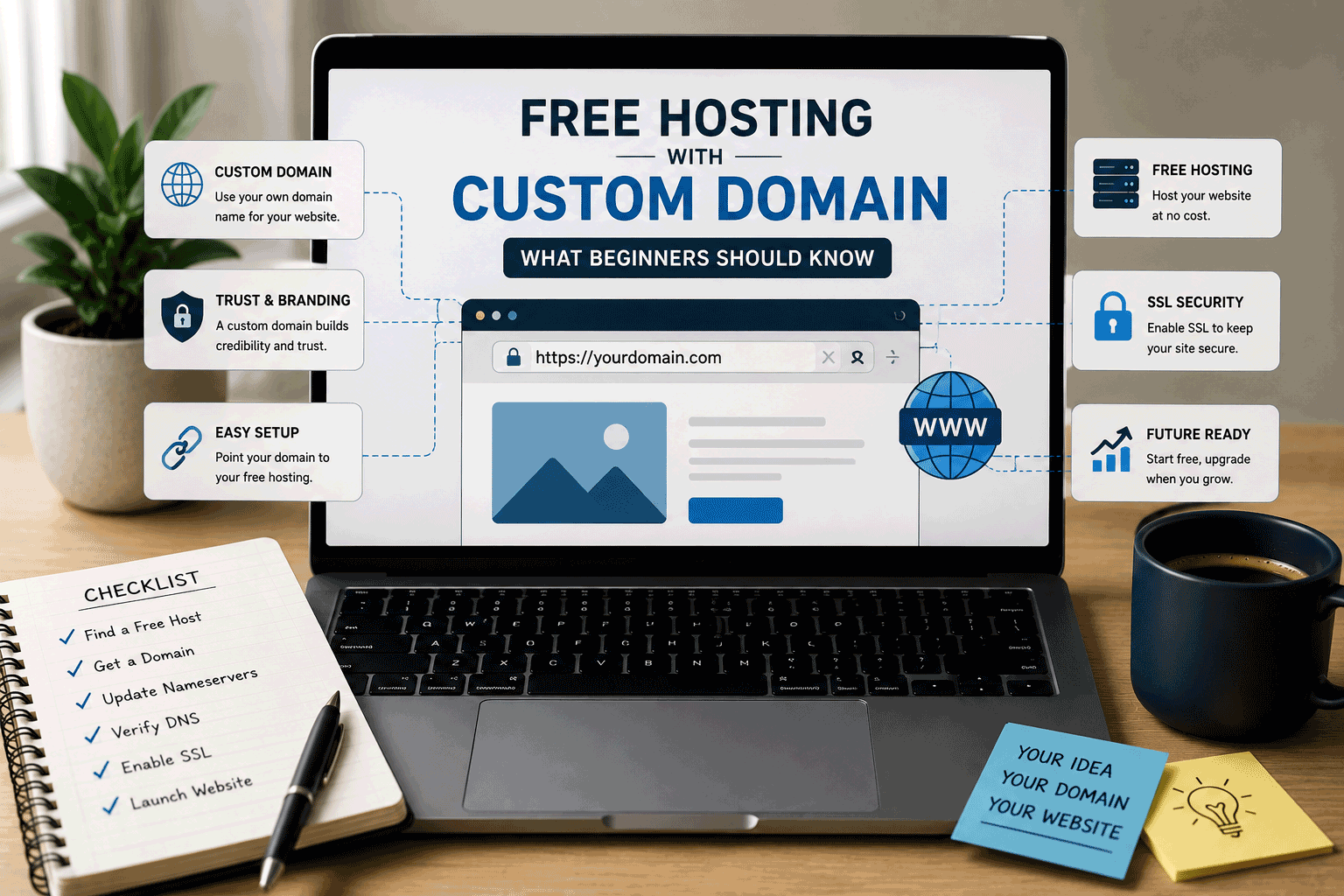
Free hosting is a helpful way to start a website without paying for hosting first. It can be useful for learning, testing ideas, creating a portfolio, publishing a small project, or preparing a simple website before moving to something more serious.
But once your website becomes public, one question often appears:
Can I use my own domain with free hosting?
This is an important question because a domain name is not just a technical detail. It affects how people remember your website, how professional it looks, and how much control you have over your online presence.
A free hosting plan may let you publish your site using a free subdomain, such as:
yourname.provider.com
That may be fine for testing. But if you want your website to look more serious, you may want something like:
yourname.comyourbrand.comyourproject.com
This is where custom domain support becomes important.
Free hosting with a custom domain can be very useful, but beginners should understand how it works, what to check, and what limitations may come with it.
What is a custom domain?
A custom domain is your own website address.
For example, if your website is called “My Portfolio,” your custom domain could be:
myportfolio.com
If you run a small business, your custom domain could be:
yourbusinessname.com
If you are building a project, it could be:
yourprojectname.com
A custom domain is different from a free subdomain provided by a hosting platform.
A free subdomain usually includes the provider’s name, such as:
mywebsite.freehostexample.com
A custom domain belongs to you, as long as you register it and renew it. It gives your website a cleaner, more independent identity.
What is free hosting with custom domain support?
Free hosting with custom domain support means the hosting provider allows you to connect your own domain to a website hosted on its free plan.
In simple terms, you buy or own the domain separately, then point it to your free hosting account.
This can give you the benefit of free hosting while still using a professional-looking web address.
For example, instead of sharing:
myshop.freehostingprovider.com
you may be able to share:
myshop.com
This can make your website easier to remember and more trustworthy.
However, not every free hosting provider allows custom domains on free plans. Some do. Some only allow it after upgrading. Some allow custom domains but with certain restrictions.
That is why beginners should check this carefully before choosing a platform.
Why a custom domain matters
A custom domain can make a big difference, especially if your website is more than a private test.
It helps your website look more professional. It is easier to share. It is easier to remember. It gives you more control over your online identity.
A custom domain also helps separate your website from the hosting provider. If you only use a provider subdomain, your website address is tied to that platform. If you move later, your address may change.
With your own domain, you can move to another host while keeping the same website address.
This is one of the biggest advantages of using a custom domain.
Hosting can change. Your domain can stay with you.
Free subdomain vs custom domain
A free subdomain is usually good for testing, learning, or temporary use.
It is quick, free, and easy to set up. You do not need to buy a domain name. You can publish your site and start experimenting.
But it may not look very professional.
A custom domain gives your website a cleaner identity. It is usually better for portfolios, business pages, blogs, public projects, and anything you want people to take seriously.
Here is a simple comparison:
| Area | Free Subdomain | Custom Domain |
|---|---|---|
| Example | yoursite.provider.com | yoursite.com |
| Cost | Usually free | Domain registration fee required |
| Professional look | Lower | Higher |
| Easy to remember | Sometimes difficult | Usually easier |
| Ownership | Controlled by provider | Controlled by you |
| Good for | Testing and learning | Public and serious websites |
| Moving later | Address may change | Address can stay the same |
A free subdomain is not bad. It just has a different purpose.
If you are learning, it may be enough. If you are building something public, a custom domain is usually better.
Does free hosting always include a free custom domain?
Usually, no.
This is a common misunderstanding.
Free hosting and free domain names are not the same thing.
A hosting provider may offer free hosting, but that does not mean it will give you a free custom domain like yourname.com.
In most cases, a custom domain must be purchased separately from a domain registrar. Then you connect it to your hosting provider.
Some platforms may offer a free subdomain, but that is not the same as owning a custom domain.
A subdomain is provided under another company’s domain. A custom domain is your own registered address.
So if you see “free hosting,” do not automatically assume it includes a free domain.
Check the details carefully.
Can you use a paid domain with free hosting?
Yes, in many cases.
This is one of the most practical setups for beginners.
You can buy a domain name from a domain registrar, then connect it to a free hosting plan that supports custom domains.
This lets you keep hosting costs low while still giving your website a more professional address.
For example, you may pay only for the domain renewal each year, while using free hosting to publish the website.
This can be a good starting point for:
- personal portfolios
- student projects
- simple business drafts
- early blogs
- small landing pages
- project demos
- nonprofit or community pages
- learning websites
However, the hosting provider must support custom domains on the free plan. If it does not, you may need to upgrade or choose another provider.
Why some free hosts do not allow custom domains
Some free hosting platforms limit custom domain support because it is considered a premium feature.
They may allow users to publish with a free subdomain, but require a paid plan to connect a custom domain.
This is common with website builders and hosted platforms.
The reason is simple: free plans are usually designed as entry-level services. Providers use upgrade plans to support their business and cover operating costs.
There is nothing wrong with that, as long as the rule is clear.
But as a beginner, you should know this before building too much on the platform.
If a custom domain is important to you, do not assume it will be included. Check the free plan details before starting.
What to check before choosing free hosting with a custom domain
Before choosing a free hosting provider, check these points carefully.
First, confirm whether custom domains are allowed on the free plan. Some providers mention custom domain support clearly. Others only offer it after upgrading.
Second, check whether SSL or HTTPS works with custom domains. Having your own domain is useful, but visitors also expect a secure connection.
Third, check whether the provider adds ads or branding to your website even when you use a custom domain. A clean domain may still look less professional if forced ads appear on your pages.
Fourth, check DNS setup requirements. Some platforms require you to change nameservers. Others ask you to create A records, CNAME records, or other DNS records.
Fifth, check whether the platform allows you to move later. Your domain should remain under your control, even if you change hosting providers.
A custom domain gives you more freedom only when you truly control it.
Understanding DNS in simple language
DNS can sound technical, but the basic idea is simple.
Your domain name needs to know where your website is hosted.
DNS records act like directions. They tell browsers where to go when someone types your domain name.
For example, when someone enters:
yourwebsite.com
DNS points that domain to your hosting provider.
Depending on the hosting platform, you may need to set different records, such as:
- Nameservers: these let your hosting or DNS provider manage the domain’s DNS settings.
- A record: this points your domain to an IP address.
- CNAME record: this points one domain name to another domain name.
- TXT record: sometimes used for verification.
You do not need to become a DNS expert to use a custom domain. But you should be comfortable following setup instructions carefully.
A small DNS mistake can make your website unavailable until the settings are corrected.
DNS changes can take time
After connecting a custom domain, your website may not work immediately.
DNS changes can take time to update across the internet. Sometimes it works in minutes. Sometimes it can take several hours. In some cases, it may take longer.
This delay is normal.
Beginners sometimes think something is broken because the website does not appear instantly. But often, the DNS settings simply need time to update.
When connecting a custom domain, it is better to be patient and check the provider’s instructions step by step.
SSL and HTTPS are important
A custom domain should ideally use HTTPS.
HTTPS shows that the connection between the visitor and the website is secured. Most modern browsers expect it. A website without HTTPS may show a warning or appear less trustworthy.
Many free hosting providers include SSL, but not all free plans handle SSL with custom domains in the same way.
Some platforms provide free SSL automatically. Some require manual setup. Some support SSL only for provider subdomains. Some reserve custom-domain SSL for paid plans.
Before choosing free hosting, check whether SSL is included for your own domain.
A custom domain without HTTPS may not create the professional impression you want.
Custom domain does not remove all free hosting limits
Using a custom domain can make your website look more professional, but it does not remove every limitation of free hosting.
Your free plan may still have limits on:
- storage
- bandwidth
- speed
- support
- backups
- databases
- file uploads
- scripts
- ads or branding
- upgrade options
A custom domain improves your web address, but the hosting environment still matters.
For example, a website may use a clean domain but still load slowly. It may look professional at first but have weak backup options. It may have your own domain but still show provider branding.
So do not judge a hosting provider only by custom domain support.
Look at the whole package.
Email with your custom domain may not be included
Many people expect that if they have a custom domain, they can automatically create email addresses like:
contact@yourdomain.com
But this is not always included.
Domain registration, website hosting, and email hosting are separate things.
Some hosting providers include email accounts. Some do not. Many free hosting plans either do not include email or offer very limited email features.
If professional email is important to you, check this early.
You may need to use a separate email hosting service, email forwarding, or a paid plan.
For business websites, this point can matter a lot because domain-based email often looks more trustworthy.
Custom domain helps with long-term control
One of the biggest reasons to use a custom domain is long-term control.
If your website starts on a free hosting platform and later moves to paid hosting, your domain can stay the same.
This means you do not need to tell everyone a new address. Your business cards, social media links, backlinks, bookmarks, and search engine listings can continue using the same domain.
This can save a lot of trouble later.
If you only use a free subdomain, moving can be harder because your website address will likely change.
For any website that may grow, a custom domain is a smart foundation.
Custom domain and branding
A custom domain also supports branding.
Your domain can match your name, business, project, or topic. It makes your website feel more intentional.
For example, a portfolio with your own domain feels more personal and professional. A business website with a matching domain feels more credible. A project website with a clear domain is easier to share.
A domain name does not need to be perfect, but it should be simple, clear, and easy to remember.
For many visitors, the domain is the first thing they see before opening the site.
A clean domain can make a better first impression.
Free hosting with custom domain for portfolios
For personal portfolios, free hosting with a custom domain can be a good combination.
A portfolio usually does not need a complex backend. It may only need pages for your profile, work samples, projects, resume, and contact details.
If the hosting provider supports custom domains, SSL, clean design, and no forced ads, free hosting may be enough at the beginning.
However, if your portfolio is used for job applications, freelance work, or client proposals, you should test the website carefully.
Check loading speed, mobile layout, image quality, contact links, and whether the site looks professional.
Your domain can help you look serious, but the website experience must support that impression.
Free hosting with custom domain for small businesses
For small businesses, custom domain support is very important.
A business website using its own domain usually looks more trustworthy than one using a free subdomain.
However, small businesses should be careful with free hosting.
Even if the domain looks professional, the hosting plan may still have performance limits, weak support, ads, limited backups, or missing email features.
For a business draft or early testing, free hosting with a custom domain may be useful.
For a real customer-facing business website, it may be better to consider whether a low-cost paid plan provides more reliability.
A domain helps with trust, but hosting quality also affects trust.
Free hosting with custom domain for blogs
If you are starting a blog, using a custom domain early can be a good idea.
A blog may grow over time. If you begin with a provider subdomain and later move to your own domain, you may need to update links, redirects, search engine settings, and branding.
Starting with your own domain can make the blog feel more stable from the beginning.
However, if you use free hosting for the blog, check storage, speed, backups, SEO settings, and migration options.
A custom domain can support your blog identity, but the hosting must still support regular publishing.
Free hosting with custom domain for student projects
Students may not always need a custom domain.
For a class assignment, a free subdomain may be enough. It is quick, simple, and does not require extra cost.
But for a student portfolio, final project, or work that may be shown to employers, a custom domain can be useful.
It can make the project look more polished and easier to share.
Students should decide based on the purpose. If the site is temporary, a free subdomain is fine. If the site will become part of a personal brand or portfolio, a custom domain may be worth considering.
Be careful with “free domain” offers
Some hosting providers may advertise a “free domain” with a hosting plan.
This can be useful, but beginners should read the conditions carefully.
Sometimes the domain is free only for the first year. Renewal may cost more later. Sometimes the free domain is included only with a paid hosting plan. Sometimes the domain may be harder to transfer during a certain period.
Before accepting a free domain offer, check:
- how long the domain is free
- what the renewal price will be
- who controls the domain
- whether you can transfer it later
- whether privacy protection is included
- whether the offer requires a paid plan
A free domain can be good, but only when the terms are clear.
Domain ownership matters
Always make sure the domain is registered under your control.
This is especially important for businesses, organizations, and long-term projects.
If someone else registers the domain for you, make sure you can access the domain account, manage DNS settings, renew the domain, and transfer it if needed.
Your domain is part of your online identity. Losing control of it can cause serious problems.
Free hosting can be changed. Website design can be rebuilt. But losing a domain can damage your online presence.
Beginners should take domain ownership seriously from the start.
What happens if you move hosting later?
If you own your domain, moving hosting is usually much easier.
You can sign up with a new hosting provider, move your website files or content, then update your domain’s DNS settings to point to the new host.
Visitors can continue using the same domain name.
This is one reason custom domains are valuable. They separate your website identity from your hosting provider.
However, moving still requires planning. You may need backups, file exports, database exports, redirects, email setup, and testing.
The domain helps keep the address stable, but the website still needs to be moved properly.
Common mistakes beginners make
One common mistake is thinking free hosting includes a free custom domain. Usually, it does not.
Another mistake is buying a domain but choosing a free host that does not support custom domains.
Some users connect a domain but forget to enable SSL, leaving the website without HTTPS.
Others point DNS records incorrectly and think the hosting is broken.
Some users register domains through platforms without checking ownership or transfer rules.
Another mistake is assuming that a custom domain makes the whole website professional. The domain helps, but speed, design, content, ads, mobile layout, and reliability still matter.
A custom domain is important, but it is only one part of a good website foundation.
Simple checklist before using a custom domain with free hosting
Before connecting a custom domain to free hosting, check the following:
- Does the free hosting plan allow custom domains?
- Is SSL/HTTPS included for custom domains?
- Are there ads or provider branding?
- Can you manage DNS records easily?
- Do you own and control the domain?
- Can you move the domain later?
- Can you move the website later?
- Are backups available?
- Is email hosting included or separate?
- Are storage and bandwidth enough?
- Is the upgrade path clear?
- Does the site still look professional after publishing?
This checklist can help you avoid surprises after buying a domain or building your website.
Is free hosting with a custom domain a good idea?
It can be a good idea when your website is simple, early-stage, or low-risk.
For example, it can work well for a portfolio, student project, simple landing page, early blog, personal page, or small test website.
It may also be useful for small businesses preparing a draft website before moving to a stronger paid plan.
But if your website is important for business, customer trust, online sales, or long-term content growth, you should look beyond the custom domain and check the full hosting quality.
A custom domain makes the address better. It does not automatically make the hosting better.
The best choice depends on your website purpose.
How FreeHostsFinder wants to help
At FreeHostsFinder, we want to help beginners understand these details before choosing a platform.
Free hosting can be useful, but features like custom domain support, SSL, ads, backups, and migration options can make a big difference.
Our goal is to help readers compare free and low-cost hosting options with clearer expectations.
Instead of only asking whether a host is free, we believe users should ask:
Can I use my own domain?
Will HTTPS work properly?
Will ads appear?
Can I move later?
Will this still fit if my website grows?
These questions help beginners make better decisions.
Final thoughts
Free hosting with a custom domain can be a smart starting point for many websites.
It allows you to reduce hosting costs while still using a cleaner and more professional website address. For portfolios, student projects, simple blogs, landing pages, and early-stage websites, this can be a practical combination.
But beginners should understand the difference between free hosting, free subdomains, custom domains, DNS, SSL, email, and hosting limitations.
A custom domain gives you more control over your website identity, but it does not remove all the limits of free hosting.
Before choosing a free host, check whether custom domains are supported, whether HTTPS works, whether ads appear, whether backups are available, and whether you can move later.
Your domain is part of your long-term online presence.
Choose it carefully, control it properly, and connect it to hosting that supports where your website may go next.
Leave a Reply
You must be logged in to post a comment.