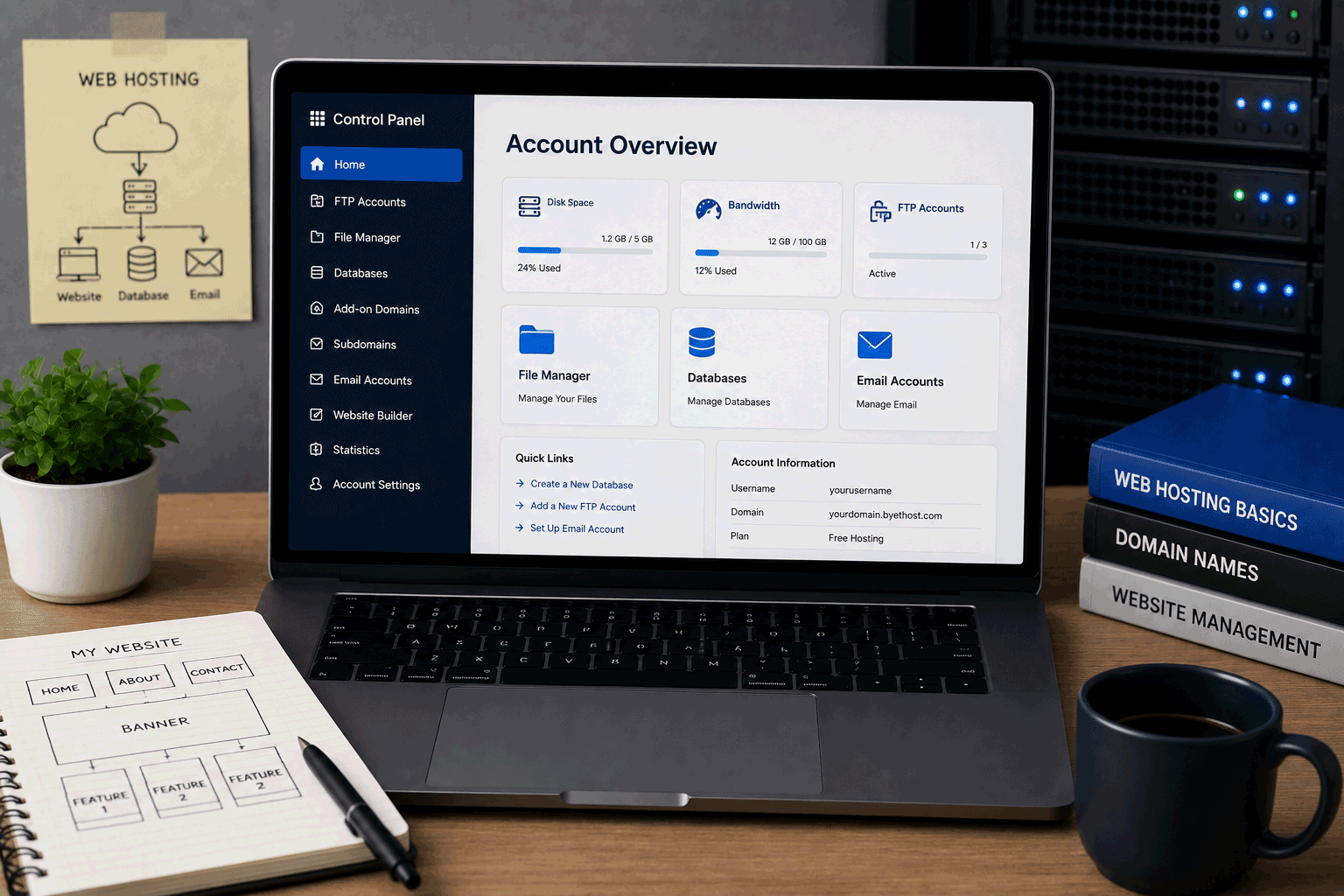
ByetHost is one of the long-running names in free web hosting, and it still fits the original idea of what many people expect from a free hosting directory: a real hosting account, PHP support, MySQL databases, free subdomains, SSL, app installation, DNS tools, and no forced ads.
It is different from modern static hosts like GitHub Pages or Netlify. ByetHost is closer to traditional shared hosting, which makes it useful for people who want to learn how web hosting works, test PHP and MySQL projects, install WordPress, or publish a small website without paying first.
The current ByetHost free hosting page promotes 5 GB NVMe storage, unlimited monthly bandwidth, PHP 8.3, MySQL 8, free SSL on subdomains, 400+ apps through Softaculous, custom DNS/CNAME tools, and no ads, no credit card, and no expiration.
That is a strong free-hosting feature list, especially for users who want PHP/MySQL hosting rather than only static website publishing. But as with any free host, it should still be used with the right expectations. ByetHost can be useful for learning, testing, small personal sites, and early WordPress experiments. It should not be treated as the final foundation for a serious business website, ecommerce store, or high-traffic project without checking limits, reliability, and support needs carefully.
Link to the official ByetHost website
Quick summary
| Item | Details |
|---|---|
| Provider | ByetHost |
| Hosting type | Traditional free web hosting |
| Best for | PHP/MySQL learning, WordPress testing, student projects, small personal websites |
| Free plan | Yes |
| Storage | 5 GB NVMe storage listed |
| Bandwidth | Unlimited monthly bandwidth listed |
| PHP | PHP 8.3 listed |
| Database | MySQL 8 listed |
| SSL | Free SSL on ByetHost subdomains; own-domain SSL can be installed in control panel |
| App installer | 400+ apps through Softaculous listed |
| Ads | No ads listed |
| Credit card required | No credit card listed |
| Expiration | No expiration listed |
| Subdomains | Free subdomain support listed |
| Custom domain/DNS | Custom CNAME and DNS manager listed |
| Best use | Learning, testing, small projects, WordPress experiments |
| Not ideal for | Ecommerce, high-traffic sites, serious business websites, heavy production WordPress |
ByetHost’s official site currently describes the free hosting service as “free forever” and highlights 5 GB NVMe storage, unlimited bandwidth, PHP 8.3, MySQL 8, free SSL, Softaculous apps, and no ads.
Best for
ByetHost is best for users who want a free hosting account that behaves more like traditional web hosting.
It is a good fit for:
- Students learning web hosting
- Beginners practicing PHP and MySQL
- Users testing WordPress
- Small personal websites
- Hobby websites
- Lightweight blogs
- Simple portfolio tests
- Small CMS experiments
- Users who want to understand DNS, SSL, databases, and file hosting
- People who want free hosting without forced ads
ByetHost is especially useful when the goal is learning. A beginner can experience real hosting concepts such as PHP versions, MySQL databases, app installers, DNS tools, SSL certificates, and website file management.
That makes it more educational than a simple website builder. It also makes it more technical.
Not ideal for
ByetHost is not the right choice for every website.
You may want another hosting type if your project needs:
- Serious business reliability
- Ecommerce checkout
- Payment processing
- Heavy WordPress plugins
- High traffic
- Large file hosting
- Video hosting
- Strong backup guarantees
- Priority support
- Developer-focused Git deployment
- Modern frontend preview workflows
- Full server control
- Sensitive customer data handling
Free hosting is useful, but it is not magic. Even when a provider lists generous features, you should still think about fair use, support quality, file limits, account rules, uptime expectations, and upgrade path.
For a student project or learning website, ByetHost can make sense. For a site where customers, sales, or reputation depend on it, a paid plan is usually safer.
Free plan overview
ByetHost’s free hosting plan is built for users who want classic hosting tools without paying upfront.
The official free hosting page currently lists:
- 5 GB NVMe disk space
- Unlimited monthly bandwidth
- Unlimited add-on, parked, and subdomains
- Custom CNAME and DNS manager
- PHP 8.3
- MySQL 8
- Free SSL on ByetHost subdomains
- SSL installation for your own domain through the control panel
- 400+ apps through Softaculous
- No ads
- No credit card
- No expiration
This is a strong starting package for a free traditional host.
For a beginner, it means you can test a real hosting environment without immediately paying for shared hosting. For students, it can support PHP/MySQL practice. For WordPress learners, it can provide a place to test installation and basic site setup.
The important point is to keep the project small and realistic. A lightweight WordPress test is very different from a production WordPress website with many plugins, many visitors, and large media files.
Key features
1. Traditional PHP and MySQL hosting
ByetHost’s free plan lists PHP 8.3 and MySQL 8.
That makes it useful for people who want to learn or test server-side websites.
You can use this kind of environment for:
- PHP practice
- MySQL database learning
- Simple form processing
- Small CRUD projects
- WordPress testing
- CMS experiments
- Student assignments
- Simple dynamic websites
This is different from static hosting platforms, which usually cannot run PHP or MySQL.
If your project needs a database and server-side PHP, ByetHost is closer to what you need than a static-only platform.
2. 5 GB NVMe storage
ByetHost lists 5 GB NVMe storage for the free plan.
For a free hosting plan, this is a useful amount of storage for small websites and learning projects. A simple HTML site, small PHP project, or lightweight WordPress test should not need much space if images are optimized.
Still, storage can disappear faster than beginners expect. Large images, unused themes, backup files, plugin packages, and uploaded media can quickly make a small site heavier.
A good habit is to keep the site clean from the beginning:
- resize images before uploading
- avoid storing videos directly
- delete unused files
- avoid large downloads
- keep WordPress plugins minimal
3. Unlimited bandwidth listing
ByetHost’s free hosting page lists unlimited monthly bandwidth.
This sounds attractive, especially for users comparing free hosts. But readers should understand that “unlimited” in hosting usually still depends on fair-use rules, server resources, and account policies.
For a small website, bandwidth may not become an issue. For a high-traffic project or file-heavy site, you should always read the provider’s current terms and monitor usage.
For FreeHostsFinder, I would describe this as:
Generous for small websites, but not a reason to treat free hosting as unlimited production infrastructure.That is more honest and useful for readers.
4. No forced ads
ByetHost’s current messaging says the free hosting includes no ads.
This is a major benefit.
Forced ads can make a free website look unfinished, especially if the site is a portfolio, student project, personal page, or small organization site. An ad-free free host gives users more control over the visitor experience.
This does not automatically make the site professional, but it removes one common free-hosting problem.
If a reader is looking for free hosting without banners or injected ads, ByetHost deserves attention.
5. Softaculous app installer
ByetHost lists 400+ apps through Softaculous, including common tools such as WordPress, Joomla, Drupal, phpBB, MediaWiki, and OpenCart on its free hosting page.
This is useful for beginners because it reduces the difficulty of installing web applications.
Instead of manually uploading files and creating databases, users can install popular apps with a guided process.
Good uses include:
- testing WordPress
- trying Joomla or Drupal
- creating a small forum test
- learning CMS installation
- testing a knowledge base or wiki tool
- experimenting with web apps
The caution is simple: installing an app is easy, but maintaining it still requires care. Keep apps updated, use strong passwords, and avoid installing too many tools just because they are available.
6. Free SSL support
ByetHost’s free hosting page says SSL is included automatically on free subdomains, and users bringing their own domain can install a free SSL certificate in the control panel.
This matters because modern websites should load with HTTPS.
Even for learning projects, SSL is useful. It avoids browser warnings and helps beginners understand an important part of website publishing.
For custom domains, users should still follow the setup instructions carefully because SSL and DNS setup can confuse new users.
7. DNS and custom domain tools
ByetHost lists custom CNAME and DNS manager support.
This is helpful for users who want to connect a real domain, manage records, or learn how domains point to hosting.
For students and beginners, DNS can feel confusing at first. But learning it is valuable.
A free subdomain is enough for testing. A custom domain is better if the website becomes more public or professional.
8. Useful learning value
ByetHost gives beginners exposure to several real hosting concepts in one place:
- hosting account setup
- PHP version compatibility
- MySQL database use
- DNS and CNAME records
- SSL certificates
- Softaculous app installation
- subdomains and custom domains
- website file management
- CMS testing
That is one of the best reasons to include ByetHost in FreeHostsFinder.
It is not only a place to publish a website. It is a place to learn how traditional hosting works.
Important limitations to know
1. Free hosting should still be treated as limited
ByetHost lists generous features, including unlimited bandwidth and 5 GB NVMe storage.
But readers should still treat free hosting carefully.
Free hosting may include practical limitations around server resources, support priority, file behavior, account usage, fair-use policies, or long-term reliability. These details may not always be obvious from the marketing headline.
Before using ByetHost for anything important, users should check the current terms, control panel restrictions, and support documentation.
For learning and testing, this is usually fine. For business-critical use, it is not enough to rely only on headline features.
2. Not suitable for serious ecommerce
ByetHost’s app list includes OpenCart through Softaculous, but that does not mean the free plan is a good ecommerce foundation.
Ecommerce needs more than the ability to install store software.
A real online store needs:
- reliable performance
- secure payment handling
- backups
- support
- database stability
- email reliability
- strong update practices
- predictable uptime
- customer data protection
Free hosting is usually too risky for ecommerce. It may be acceptable for testing an ecommerce script, but not for taking real orders.
3. WordPress can become heavy quickly
ByetHost can be useful for WordPress testing because it supports PHP, MySQL, and Softaculous.
But WordPress can become resource-heavy when users add:
- many plugins
- page builders
- large themes
- unoptimized images
- backup plugins
- security plugins with scans
- ecommerce plugins
- traffic-heavy content
For a basic WordPress learning site, ByetHost may work. For a serious WordPress website, paid WordPress hosting will usually be better.
Use ByetHost to learn WordPress, not to push a complex WordPress project beyond what free hosting should handle.
4. Not a modern Git deployment platform
ByetHost is traditional hosting, not a developer deployment platform.
If you are building with modern frontend tools such as React, Next.js, Astro, Svelte, or Vue and you want Git-based deployment, build previews, branch deployments, or serverless functions, another platform may fit better.
ByetHost is better for:
- PHP
- MySQL
- CMS installation
- traditional hosting practice
- custom domains and DNS
- small dynamic websites
It is less suitable for modern frontend workflows.
5. Support expectations should be realistic
Free hosting cannot usually offer the same support experience as managed paid hosting.
Even if support is available, users should keep their own backups and be ready to troubleshoot basic hosting issues.
For students and hobby users, this is acceptable. For business owners, it may not be.
A free hosting plan should never be the only place where important website files and database content exist.
6. Old reviews may not reflect the current ByetHost site
ByetHost has existed for many years, and some older third-party reviews refer to older limits and older infrastructure. For example, older review pages mention 1 GB storage or older bandwidth details, while the current official ByetHost site now promotes 5 GB NVMe storage, PHP 8.3, MySQL 8, and updated free-hosting messaging.
For FreeHostsFinder, this is important.
Use the official current provider page as the main reference, and include a “last checked” date when you publish. Free hosting plans change over time.
Who should use ByetHost?
Students
ByetHost is a good option for students learning PHP, MySQL, hosting, or CMS installation.
It gives students a real hosting account with enough features to practice common website tasks.
Good student uses include:
- PHP assignments
- MySQL practice
- WordPress testing
- small CMS experiments
- HTML/CSS/PHP projects
- live project submissions
Students should keep backups and test early before deadlines.
Beginners learning traditional hosting
If you want to understand hosting beyond website builders, ByetHost is useful.
You can learn how to manage subdomains, databases, SSL, app installers, DNS records, and hosted website files.
That knowledge is helpful if you later move to paid hosting.
WordPress testers
ByetHost is useful for lightweight WordPress testing.
You can use it to learn:
- WordPress installation
- dashboard basics
- themes
- plugins
- pages and posts
- menus
- basic CMS structure
Keep WordPress simple. Avoid turning a free test site into a heavy production website.
Personal website owners
A small personal website, hobby page, or simple online profile may fit well on ByetHost.
It is especially useful if you want to avoid forced ads and use a free subdomain or custom domain.
Users comparing traditional free hosts
ByetHost belongs in the same research group as providers like InfinityFree, AwardSpace, Freehostia, and GoogieHost.
It is useful for readers who specifically want free PHP/MySQL hosting rather than static hosting or no-code website builders.
Who should avoid ByetHost?
Business owners with important websites
If your website supports customers, leads, income, or reputation, free hosting is usually not the best final choice.
ByetHost may be useful for drafting or testing, but a serious business website should usually use paid hosting with stronger support, backups, and reliability expectations.
Ecommerce site owners
Do not use free hosting as the main foundation for real ecommerce.
Even if an ecommerce app can be installed, the operational requirements are too important for a typical free hosting setup.
Use free hosting only to test ideas or learn the software.
High-traffic website owners
If you expect regular traffic, campaigns, downloads, or search traffic growth, free hosting may become limiting.
The official site lists unlimited bandwidth, but a high-traffic production site should still use hosting designed for that level of demand.
Developers needing Git-based deployment
If your workflow depends on Git deployment, previews, branches, build commands, and frontend framework hosting, ByetHost may not be the right fit.
Use a developer-focused hosting platform for that kind of workflow.
Users who need guaranteed support
If you need fast, professional support for a business-critical site, choose paid hosting.
Free hosting is better for users who can tolerate some troubleshooting and lower support expectations.
ByetHost for WordPress
ByetHost can be useful for WordPress testing because it supports PHP 8.3, MySQL 8, and Softaculous app installation.
Good WordPress uses include:
- learning WordPress installation
- testing a lightweight theme
- trying basic plugins
- creating a demo website
- practicing dashboard management
- building a small personal blog draft
Be careful with:
- WooCommerce
- heavy page builders
- many plugins
- automated backup plugins
- large image libraries
- high-traffic content
- serious business websites
For WordPress, ByetHost is best as a learning and testing space. Once the website becomes important, move to stronger WordPress hosting.
ByetHost for PHP and MySQL projects
This is one of ByetHost’s strongest use cases.
Because the current free plan lists PHP 8.3 and MySQL 8, it can be useful for learning dynamic website development.
It may work well for:
- PHP forms
- MySQL database practice
- small admin panels
- CRUD projects
- login system experiments
- student assignments
- small dynamic websites
- CMS learning
For larger PHP frameworks or production apps, check requirements carefully. Some applications need command-line access, Composer workflows, queue workers, or server settings that free hosting may not support well.
ByetHost for static websites
ByetHost can host static HTML, CSS, and JavaScript websites, but it may not be the most natural choice for purely static projects.
If your site is only static and you work with Git, static hosts may be more convenient.
ByetHost makes more sense if you also need:
- PHP
- MySQL
- app installers
- DNS manager
- traditional hosting tools
- SSL setup
- free subdomains
- CMS testing
For simple static portfolios, a static hosting platform may be cleaner. For traditional hosting learning, ByetHost is stronger.
ByetHost for small business websites
ByetHost can be used to test a small business website idea.
It may help you create:
- a simple service page
- a small company introduction
- a local business draft
- a temporary landing page
- a WordPress test version
- a basic contact page
But I would not recommend relying on free hosting for a serious customer-facing business website.
A business website usually needs stronger support, better backups, clearer reliability, professional email, and a hosting plan that is designed for business use.
Use ByetHost for early testing. Upgrade when the website becomes part of your business.
Free plan vs paid upgrade
ByetHost is connected with iFastNet, and its ecosystem includes premium hosting upgrade options. The official ByetHost site positions its free hosting as a real free plan with no ads, no card, and no expiration.
Use the free plan if:
- you are learning
- the project is small
- you want PHP/MySQL basics
- you want to test WordPress
- you want no forced ads
- you need a free subdomain
- you want to try traditional hosting
- the website is low-risk
Consider upgrading or moving if:
- your site becomes important
- traffic grows
- WordPress becomes heavy
- you need stronger support
- you need business reliability
- you need ecommerce
- you need better backups
- you need more predictable performance
The free plan is useful because it helps you begin. Paid hosting becomes useful when the website deserves a stronger foundation.
Final opinion
ByetHost is a strong candidate for anyone comparing traditional free web hosting providers. It offers the type of features many free-hosting users still look for: PHP 8.3, MySQL 8, 5 GB NVMe storage, unlimited bandwidth listing, free SSL, Softaculous apps, subdomains, DNS tools, and no forced ads.
Its best role is clear: learning, testing, small personal sites, student projects, PHP/MySQL practice, and WordPress experiments.
Its risk is also clear: it is still free hosting. Do not use it as the final home for a serious business website, ecommerce store, high-traffic project, or anything where uptime and support are critical. Keep backups, keep projects lightweight, and check the latest official plan details before signing up.
For FreeHostsFinder readers who want real free hosting rather than a website builder or static-only platform, ByetHost is worth reviewing closely.
Link to the official ByetHost website
FAQ
Is ByetHost free?
Yes. ByetHost’s current site promotes free hosting with no ads, no credit card, and no expiration.
How much storage does ByetHost Free include?
ByetHost’s current free hosting page lists 5 GB NVMe disk space.
Does ByetHost offer unlimited bandwidth?
ByetHost’s free hosting page lists unlimited monthly bandwidth. Users should still check current terms and fair-use expectations before relying on free hosting for high-traffic projects.
Does ByetHost show ads on free websites?
ByetHost’s current site states that its free hosting has no ads.
Does ByetHost support PHP and MySQL?
Yes. ByetHost currently lists PHP 8.3 and MySQL 8 for its free hosting service.
Can I install WordPress on ByetHost?
Yes. ByetHost lists 400+ apps through Softaculous, including WordPress.
Does ByetHost include free SSL?
Yes. ByetHost says SSL is included automatically on free subdomains, and users bringing their own domain can install a free SSL certificate in the control panel.
Is ByetHost good for beginners?
Yes, especially for beginners who want to learn traditional web hosting, PHP, MySQL, app installation, SSL, DNS, and website file management.
Is ByetHost good for WordPress?
ByetHost can be useful for WordPress testing and learning. For a serious WordPress website with many plugins, heavy traffic, ecommerce, or business importance, paid WordPress hosting is usually safer.
Is ByetHost good for business websites?
ByetHost may be useful for a business website draft or early test, but I would not recommend using free hosting as the final foundation for a serious business website.
“ByetHost is best when you want a real free hosting account to learn, test, and build small — not when you need free hosting to carry a serious online business.”
Leave a Reply
You must be logged in to post a comment.