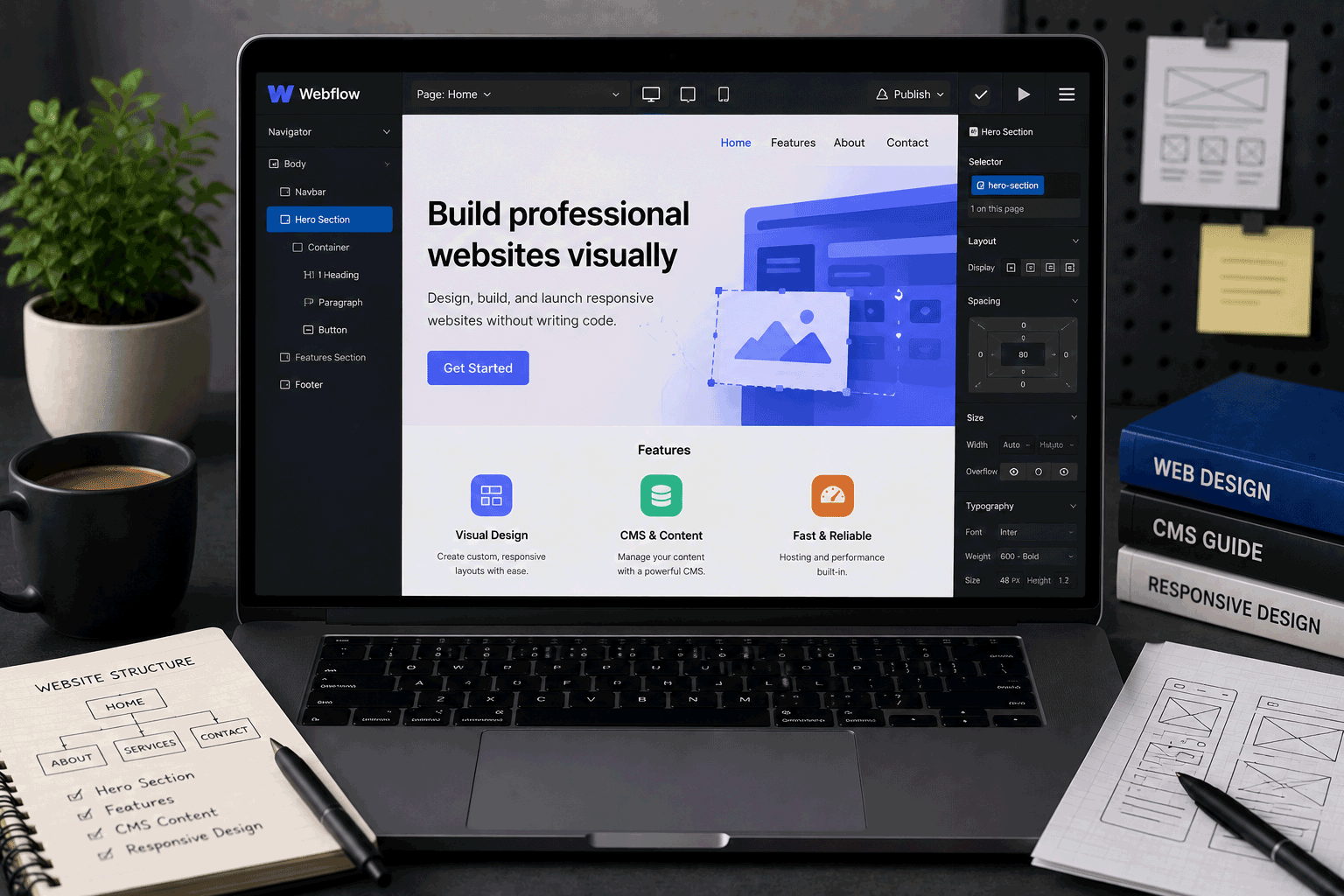
Webflow is not the simplest free website builder, but it is one of the most interesting ones for people who care about design control.
Many beginner website builders are made to help users create a page quickly from templates. Webflow goes further. It gives users a visual design environment that feels closer to building a real website layout, but without writing every line of HTML, CSS, and JavaScript manually. That makes it attractive for designers, freelancers, agencies, portfolio creators, and people who want more control than a basic drag-and-drop builder usually provides.
For FreeHostsFinder readers, Webflow fits a different type of “free website creation” need. It is not traditional free web hosting. It is not PHP/MySQL hosting. It is not normal WordPress hosting. It is a hosted visual website platform where you can build and publish a limited free site on a Webflow.io domain, then upgrade when you need a custom domain, more pages, custom code, or more serious publishing features. Webflow’s pricing page currently lists the free Starter site plan with a Webflow.io domain, 2 pages, 20 CMS collections, 50 CMS items, 50 lifetime form submissions, and 1 GB bandwidth.
Webflow can be excellent when you want to design carefully and learn visual web building. But for complete beginners who only want the fastest possible website, it may feel more advanced than necessary.
Link to the official Webflow website
Quick summary
| Item | Details |
|---|---|
| Provider | Webflow |
| Hosting type | Hosted visual website builder / design platform |
| Best for | Designers, portfolios, landing pages, visual prototypes, advanced no-code users |
| Free plan | Yes, Starter site plan |
| Free publishing | Webflow.io domain |
| Free pages | 2 pages on Starter site plan |
| CMS on free plan | 20 CMS collections and 50 CMS items listed |
| Form submissions | 50 lifetime form submissions listed |
| Bandwidth | 1 GB bandwidth listed on Starter |
| Custom domain | Requires a paid Site plan |
| Custom code | Requires paid plan features |
| PHP/MySQL | Not supported as traditional hosting |
| WordPress | Not normal WordPress hosting |
| Best use | Design experiments, portfolio drafts, landing page prototypes, Webflow learning |
| Not ideal for | Very simple beginner sites, PHP/MySQL projects, standard WordPress, free custom-domain websites |
Webflow’s help documentation explains that free Starter sites can publish to a Webflow.io domain and are limited to 2 pages unless the Workspace plan is upgraded. It also says a paid Site plan is needed when you are ready to publish to a custom domain and unlock site-specific features such as custom code and additional capabilities.
Best for
Webflow is best for users who want more visual control than a basic website builder gives.
It is a good fit for:
- Designers learning website layout
- Portfolio creators who care about presentation
- Freelancers preparing visual website drafts
- Agencies creating early design concepts
- Landing page prototypes
- Startup website mockups
- Users learning modern visual web design
- People who want to understand layout, spacing, responsiveness, and structure
- Creators who may upgrade later for a custom domain
- Users who want a design-first website building experience
Webflow is especially useful when the design itself matters. If you want to adjust layout, spacing, breakpoints, structure, interactions, and visual hierarchy more carefully, Webflow gives you more room than many beginner-focused builders.
Not ideal for
Webflow is not the best match for every user.
You may want another option if you need:
- The easiest possible beginner website builder
- A free custom-domain website
- Traditional PHP hosting
- MySQL or MariaDB
- Normal self-hosted WordPress
- cPanel-style hosting
- Git deployment for frontend code
- A simple school page with no learning curve
- A large content website on the free plan
- A free ecommerce website
- Full backend application hosting
- A website you can easily migrate as a full CMS project
Webflow is powerful, but that power comes with a learning curve. If you only need a very simple page, a simpler website builder may be faster. If you need server-side development, traditional hosting or developer hosting will fit better.
Free plan overview
Webflow’s free Starter site plan is mainly for learning, building, experimenting, and prototyping.
The current Webflow pricing page lists the Starter plan as free, with publishing to a Webflow.io domain, 2 pages, 20 CMS collections, 50 CMS items, Webflow AI, 50 lifetime form submissions, 1 GB bandwidth, and web app hosting.
This makes the free plan useful for:
- Testing Webflow
- Learning the Designer
- Building a portfolio draft
- Creating a landing page prototype
- Trying CMS structure in a small way
- Practicing responsive design
- Preparing a website before deciding whether to upgrade
The key limitation is that the free plan is not meant to be a finished professional website for most users. It uses a Webflow.io domain and has tight limits around pages, CMS items, forms, and bandwidth.
Webflow’s help center also explains that every site you want to host with Webflow on a custom domain needs its own Site plan.
Key features
1. Strong visual design control
Webflow’s main strength is its design environment.
Instead of only dragging pre-made sections into place, Webflow lets you work more closely with web layout concepts. You can control containers, grids, spacing, typography, breakpoints, classes, and responsive behavior in a visual way.
This is useful for designers who want to move from static design tools into real web layouts.
For a beginner, this may feel more complex at first. But for someone serious about web design, the learning curve can be worthwhile.
2. Free Webflow.io publishing
The free Starter plan lets you publish to a Webflow.io domain. Webflow’s help center states that free Starter sites can publish to a Webflow.io domain of your choice.
This is useful for sharing a draft or prototype.
For example, you can use the free plan to:
- show an early design idea
- test a landing page layout
- share a portfolio draft
- practice responsive design
- learn Webflow without buying a plan first
For professional use, however, a Webflow.io domain may not be enough. A custom domain usually looks more serious.
3. CMS learning on the free plan
Webflow’s current Starter plan includes 20 CMS collections and 50 CMS items.
This is useful for learning how Webflow CMS works in a limited way.
You can test structured content such as:
- portfolio projects
- blog sample posts
- team members
- service items
- case study entries
- product-style content
- directory-style cards
The 50 CMS item limit is small, so this is better for learning and prototyping than running a real content website.
4. Good for portfolio drafts
Webflow can be very useful for portfolio creators, especially designers.
A portfolio built in Webflow can focus on presentation, spacing, typography, case study layouts, and responsive design.
The free plan can help you draft the portfolio first. Later, if the portfolio becomes part of your professional identity, a paid Site plan may make sense for the custom domain and broader publishing features.
For designer portfolios, Webflow can feel more expressive than simpler website builders.
5. Custom domain support on paid Site plans
Webflow supports custom domains, but a paid Site plan is needed. Webflow’s custom domain documentation says you need a paid Site plan for every site you want to connect to a custom domain.
This is important for anyone planning a professional site.
A Webflow.io domain is fine for drafts, but a domain such as:
yourname.comor:
yourstudio.comis usually better for a portfolio, agency page, business website, or client-facing project.
6. Useful upgrade path
Webflow’s pricing page shows the Starter plan as free and then paid Site plans such as Basic, CMS, and Business. The Basic plan is positioned for landing pages, personal sites, portfolios, or MVPs that do not require CMS, while the CMS plan is positioned for blogs and SEO-driven pages built with structured content.
This gives users a clear path:
- Start free to learn and build.
- Upgrade Basic for a simpler custom-domain site without CMS needs.
- Upgrade CMS if structured content matters.
- Consider higher plans if the site becomes larger or more business-focused.
The important part is to choose the paid plan carefully, because Webflow pricing and plan structure can feel more complex than basic website builders.
Important limitations to know
1. The free plan is limited to Webflow.io publishing
The free Starter plan is mainly for publishing to a Webflow.io domain. Webflow’s help center says Starter sites can publish to a Webflow.io domain, while a paid Site plan is needed to publish to a custom domain.
This is fine for practice and prototypes.
It is less ideal for a professional public website.
If your website needs to look fully branded, you should expect to upgrade.
2. Only 2 pages on the free Starter site
Webflow’s free Starter site plan lists 2 pages.
This is enough for a small test site or simple landing page draft, but it is not enough for most complete websites.
A normal portfolio or business site may need:
- Home
- About
- Services
- Projects
- Contact
- Blog
- Case studies
That quickly goes beyond 2 static pages.
3. The free plan has small CMS and form limits
The Starter plan lists 50 CMS items and 50 lifetime form submissions.
This is fine for testing. It is not suitable for a serious content site or a site that depends on regular inquiries.
If you want to collect leads, run a content-heavy site, or manage many portfolio entries, you will probably need a paid plan.
4. Custom code and advanced site capabilities require paid plans
Webflow’s help center explains that paid Site plans unlock site-specific features like custom code, additional pages, advanced SEO controls, and more CMS items.
This matters if you want to add scripts, tracking tools, advanced integrations, or custom functionality.
For basic design learning, the free plan is useful. For a real production website, paid features may become necessary.
5. Webflow is not traditional hosting
Webflow is a hosted website builder and visual development platform.
It is not for:
- PHP
- MySQL
- cPanel
- FTP hosting
- standard WordPress installation
- backend server management
If your project is a PHP/MySQL assignment or WordPress testing project, Webflow is not the right tool.
6. It may feel difficult for complete beginners
Webflow is visual, but it is not always simple.
A beginner who has never thought about containers, classes, layout hierarchy, breakpoints, and responsive design may need time to learn.
This is not necessarily a bad thing. Webflow can teach valuable design and web structure habits. But if the goal is to publish something in one afternoon with almost no learning, a simpler builder may be easier.
Who should use Webflow?
Designers
Webflow is especially suitable for designers who want to build real websites with more control over layout and visual presentation.
It helps bridge the gap between design tools and live websites.
Portfolio creators
Webflow can be a strong choice for portfolios, especially if visual quality matters.
Designers, freelancers, agencies, and creative professionals can use it to build more refined portfolio pages than many simple builders allow.
Freelancers and agencies
Freelancers and small agencies can use Webflow to prototype and build polished marketing sites.
The free plan is good for learning and drafting. Paid plans are usually needed for serious client publishing.
Advanced no-code users
Webflow is a good fit for users who do not want to hand-code every detail but still want deeper control than a beginner website builder.
It is not “simple no-code” in the easiest sense. It is more like visual web development.
Users testing landing page ideas
The free plan can be useful for testing a landing page layout or early website concept.
With only 2 pages, it is not for large sites, but it can be enough for a focused prototype.
Who should avoid Webflow?
Users who want the easiest website builder
If you want the simplest possible builder, Webflow may feel too complex.
A simpler drag-and-drop builder may be better for very basic sites.
Users who need PHP and MySQL
Webflow is not PHP/MySQL hosting.
If your project needs server-side scripts or a database you control, choose traditional hosting or app hosting.
Users who want normal WordPress
Webflow is not self-hosted WordPress.
If you want WordPress plugins, themes, admin dashboard, and database control, use WordPress hosting.
Users who need a free custom-domain website
Webflow requires a paid Site plan to connect a custom domain.
If your main requirement is a free custom-domain site, Webflow’s free plan will not fit.
Users building large free websites
With only 2 pages, 50 CMS items, and 1 GB bandwidth on Starter, the free plan is not designed for large websites.
It is better for learning and prototyping.
Webflow for beginners
Webflow can be useful for beginners, but mostly for beginners who want to learn design seriously.
It is not the easiest “click and publish” tool. It asks users to think more carefully about layout structure, responsive design, and visual hierarchy.
A beginner can learn a lot from Webflow, including:
- page structure
- spacing
- layout behavior
- typography
- responsive breakpoints
- CMS basics
- visual design systems
- web publishing
For someone who wants to become better at web design, that learning curve can be valuable.
For someone who simply wants a quick personal page, it may be more than necessary.
Webflow for portfolios
Webflow is a strong option for portfolio drafts and professional portfolios.
A portfolio built in Webflow can highlight:
- visual design style
- case studies
- selected work
- project pages
- animations and interactions
- responsive layout
- personal branding
The free plan can help you draft the portfolio, but the 2-page limit and Webflow.io domain will likely push serious users toward a paid plan.
For designers and creative professionals, this may be worth it when the portfolio supports career or client opportunities.
Webflow for small business websites
Webflow can be a good platform for small business websites, especially when design quality matters.
It can work well for:
- service pages
- agency websites
- landing pages
- startup websites
- consultant websites
- local business profile pages
- product presentation sites
However, the free plan is not usually enough for a final business website because of the Webflow.io domain, 2-page limit, and other Starter restrictions.
For business use, Webflow is better viewed as:
Free for design and testing.
Paid for serious publishing.
Webflow for students
Webflow can be useful for students learning digital design, UX/UI, visual web design, or no-code development.
It may not be ideal for coding assignments that require HTML/CSS hand-coding, PHP/MySQL, JavaScript frameworks, or backend development.
For design-focused student work, Webflow can be a helpful tool.
For programming-focused student work, another hosting type may be better.
Webflow for content websites
Webflow includes CMS functionality, and the free plan lets users test CMS collections and items.
This can be useful for learning structured content.
But for a real blog, directory, knowledge base, or SEO content site, the Starter plan’s 50 CMS item limit is too small.
Webflow’s CMS plan is more suitable for serious CMS-driven sites, as Webflow positions it for blogs and SEO-driven pages built with structured content.
Free plan vs paid upgrade
Webflow’s free Starter plan is best for testing, learning, and prototyping.
Use the free plan if:
- you want to learn Webflow
- you are drafting a design
- you need a simple prototype
- a Webflow.io domain is acceptable
- 2 pages are enough
- 50 CMS items are enough for testing
- you do not need custom code
- you do not need a custom domain
Consider upgrading if:
- you need a custom domain
- you need more than 2 pages
- you need custom code
- you need advanced SEO controls
- you need more CMS items
- you need more bandwidth
- you are publishing a portfolio professionally
- the site represents a business or client
Webflow’s help center explains that a paid Site plan applies to an individual website and unlocks custom domain publishing and site-specific features such as additional pages, advanced SEO controls, additional CMS items, and custom code.
Final opinion
Webflow is a powerful free starting point for people who care about design and want to learn visual website building seriously.
It is not the fastest tool for absolute beginners, and it is not traditional hosting. But it offers something valuable: a way to design more carefully, understand real web layout concepts, and publish a limited site for free on a Webflow.io domain.
The free Starter plan is best for learning, portfolio drafts, landing page prototypes, and small design experiments. Its limits are important: 2 pages, 50 CMS items, 50 lifetime form submissions, 1 GB bandwidth, and no custom domain unless you upgrade.
Use Webflow if you want more design control and are willing to learn. Avoid it if you need the easiest builder, PHP/MySQL hosting, normal WordPress, or a free custom-domain website.
For the right user, Webflow is not just a website builder. It is a design learning platform that can become a serious publishing tool when upgraded.
Link to the official Webflow website
FAQ
Is Webflow free?
Yes. Webflow has a free Starter site plan. It lets users build and publish to a Webflow.io domain with limits such as 2 pages, 50 CMS items, 50 lifetime form submissions, and 1 GB bandwidth.
Can I use a custom domain on Webflow Free?
No. Webflow says you need a paid Site plan for every site you want to connect to a custom domain.
How many pages can I have on Webflow Free?
Webflow’s Starter plan lists 2 pages. Webflow’s help center also says free Starter sites are limited to 2 pages unless the Workspace plan is upgraded.
Does Webflow Free include CMS?
Yes, but in a limited way. Webflow’s Starter plan lists 20 CMS collections and 50 CMS items.
Is Webflow good for beginners?
It depends on the beginner. Webflow is good for beginners who want to learn serious visual web design. It may feel too advanced for users who only want the simplest possible website builder.
Is Webflow good for portfolios?
Yes. Webflow is a strong choice for portfolio websites, especially for designers and creative professionals who want more control over layout and presentation.
Can Webflow run WordPress?
No. Webflow is not normal WordPress hosting. It does not run self-hosted WordPress with PHP and a database.
Can Webflow run PHP and MySQL?
No. Webflow is not traditional PHP/MySQL hosting. It is a hosted visual website builder and design platform.
Is Webflow good for business websites?
Yes, Webflow can be good for business websites, especially design-focused marketing sites. However, a serious business website will usually need a paid Site plan for custom domain publishing and expanded features.
Should I use Webflow Free for a real website?
Use Webflow Free for learning, testing, drafts, and prototypes. For a professional website, portfolio, or business site, a paid Site plan is usually more appropriate.
“Webflow is best when you want more than a quick page — you want to shape the website with care before you publish it seriously.”
Leave a Reply
You must be logged in to post a comment.